
INTRODUCTION
PURPOSE
This document outlines the new features added to the CloudSupervisor tool in January 2023. Customers can use this document as a reference to understand and leverage the benefits of these newly introduced features.
INTENDED AUDIENCE AND PERTINENT SECTIONS
This document is intended for company personnel, customers, and partners. It serves as a reference for understanding the feature updates and using them effectively.
Cost & Utilization
1. Virtual Machine Utilization
-
This dashboard displays virtual machine consumption across various services, including average, minimum, and maximum utilization. It also provides useful recommendations based on hourly utilization assessments.
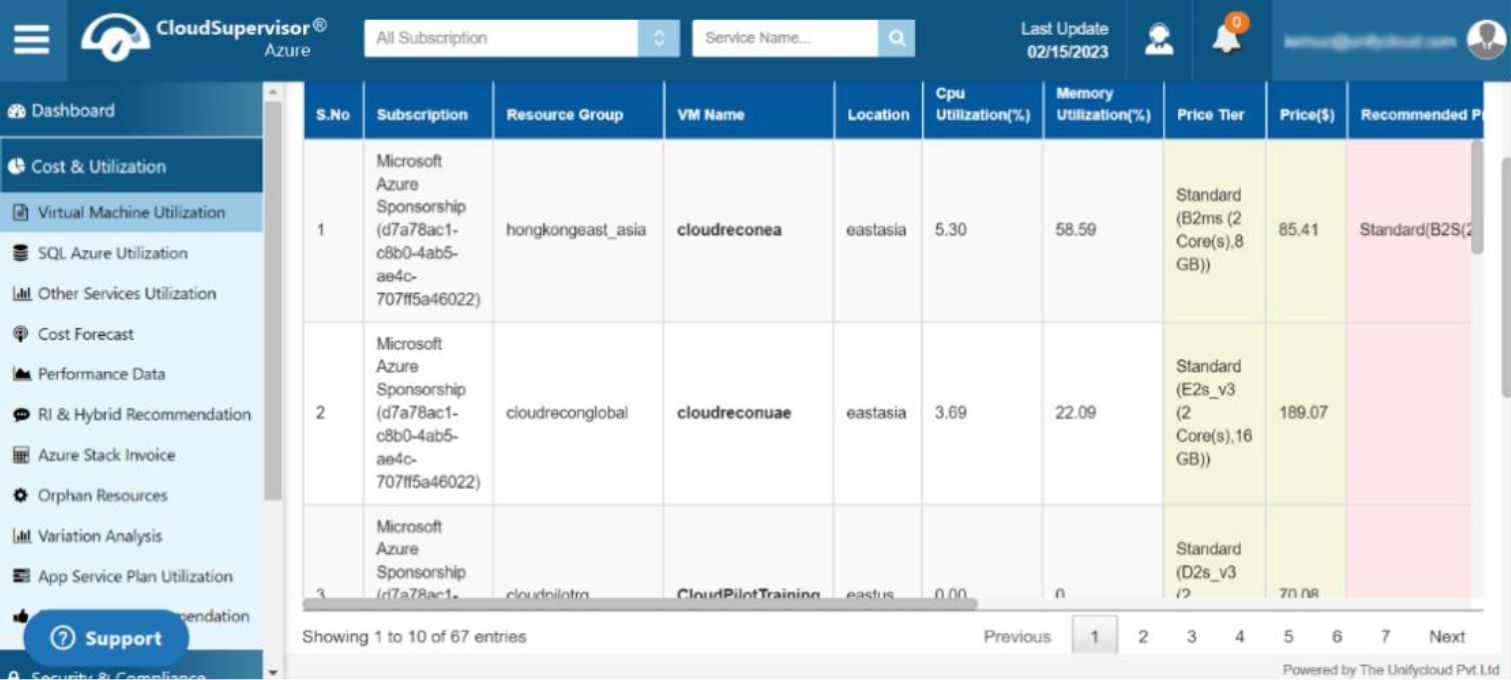
Figure 1A: Virtual Machine Utilization
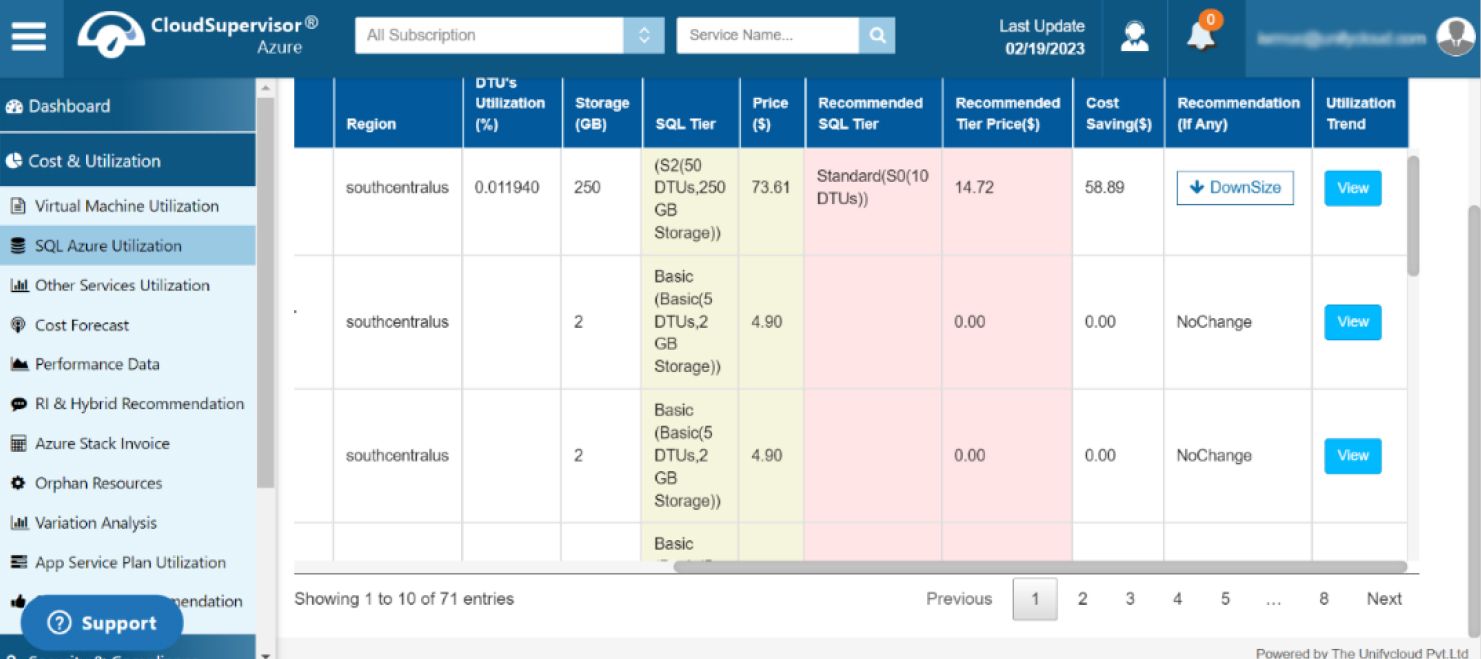
Figure 1B: Virtual Machine Utilization
-
Click the view icon in the relevant subscription grid to view the daily utilization trends for individual virtual machines.
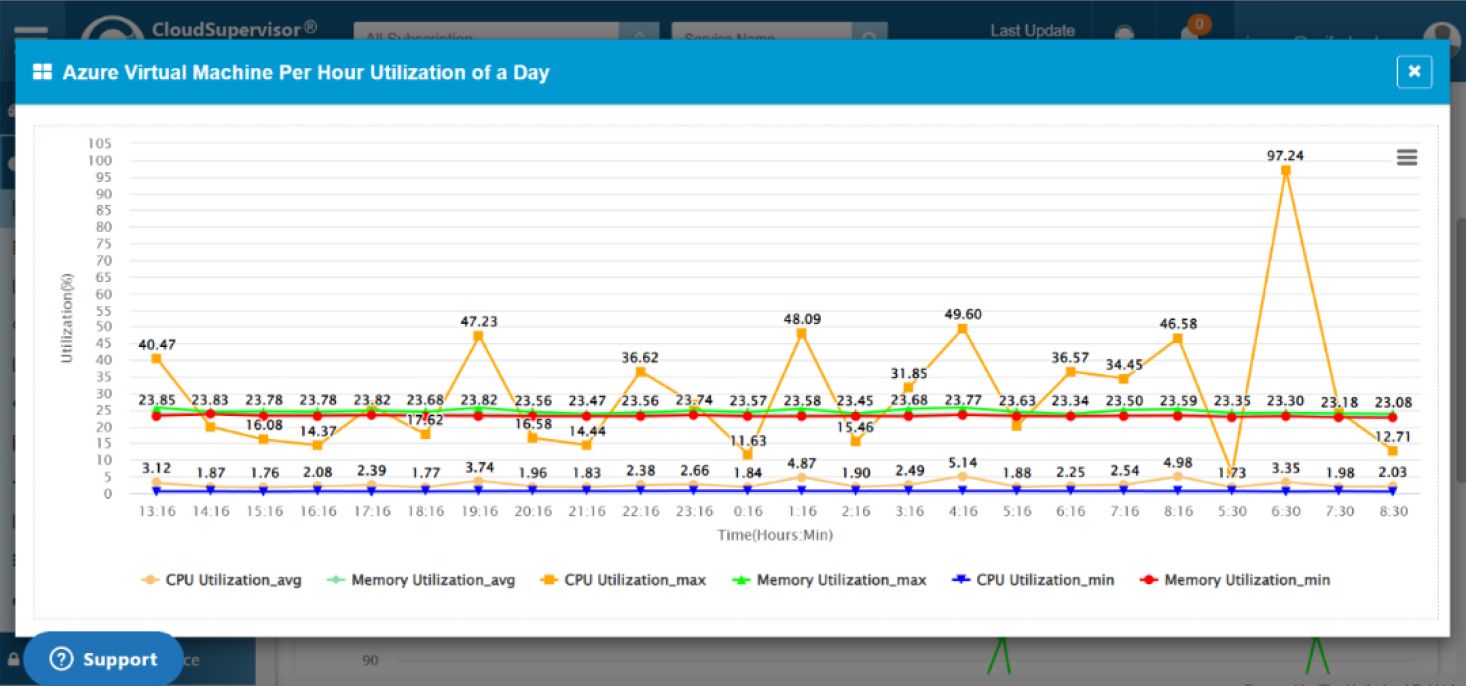
Figure 2A: Virtual Machine Utilization – View
-
This dashboard provides detailed hourly utilization data for Azure virtual machines.
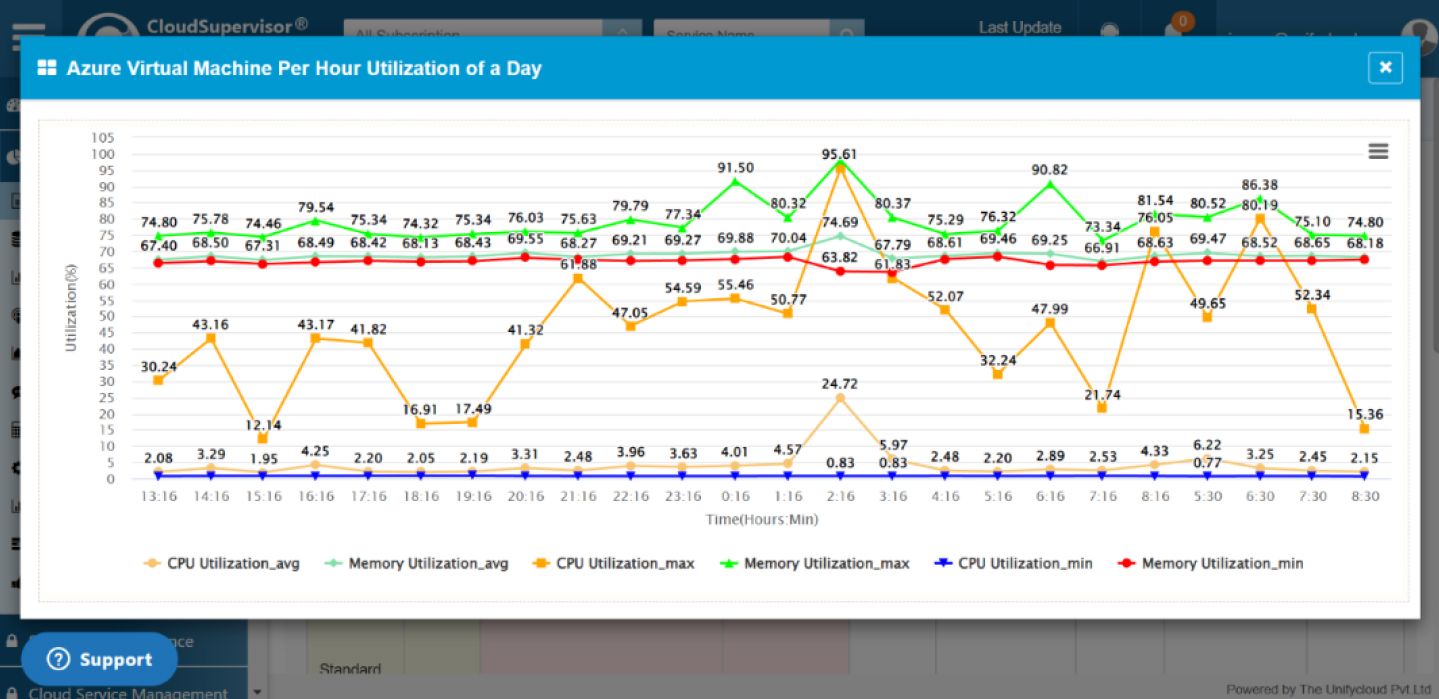
Figure 2B: Virtual Machine Utilization – View
2. Utilization Trend Based on Hourly Usage Over the Last 30 Days
This dashboard displays CPU and memory consumption across multiple services over the previous 30 days, with hourly utilization data. It provides average, minimum, and maximum CPU utilization statistics for various subscriptions. It also presents detailed memory utilization information, including average, minimum, and maximum values.
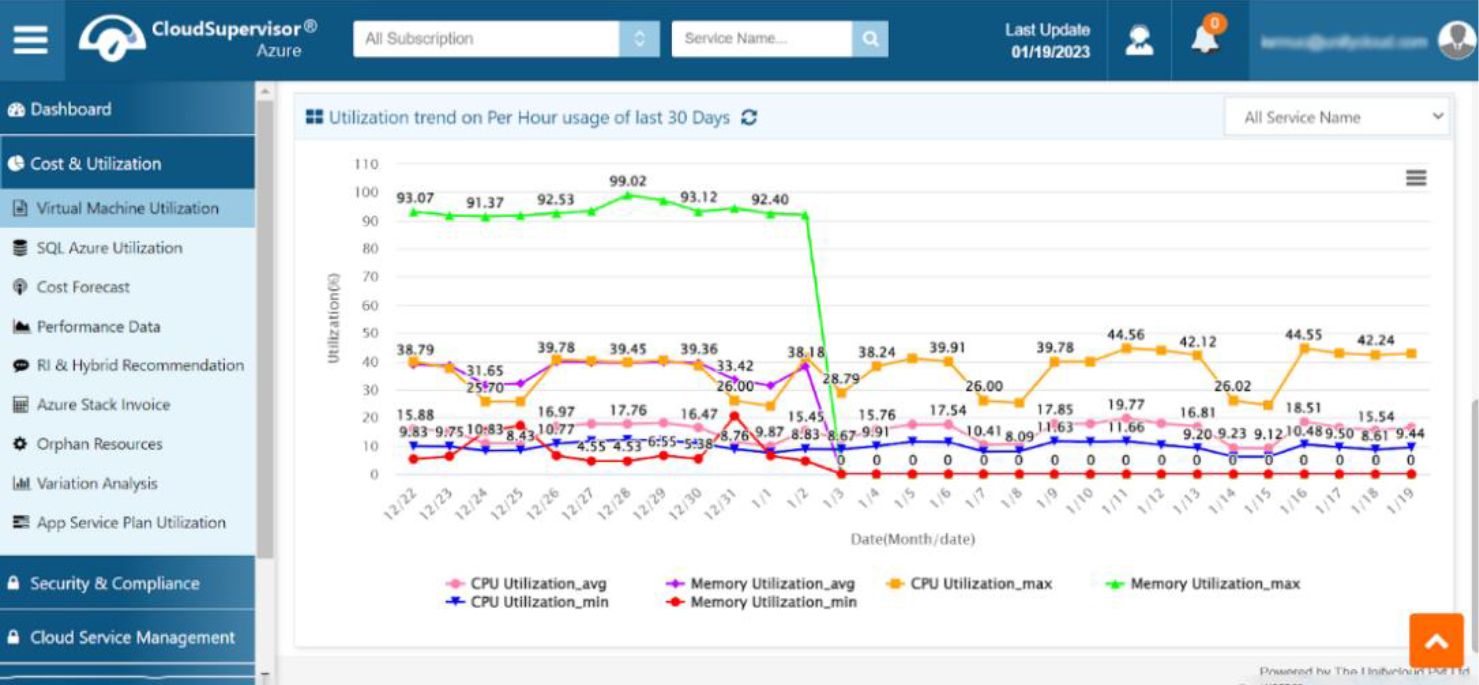
Figure 3: Utilization Trend Based on Hourly Usage Over the Last 30 Days
2.1 CPU Utilization Average
Clicking the CPU Utilization Average option opens a trend chart showing CPU utilization across multiple services for the selected dates.
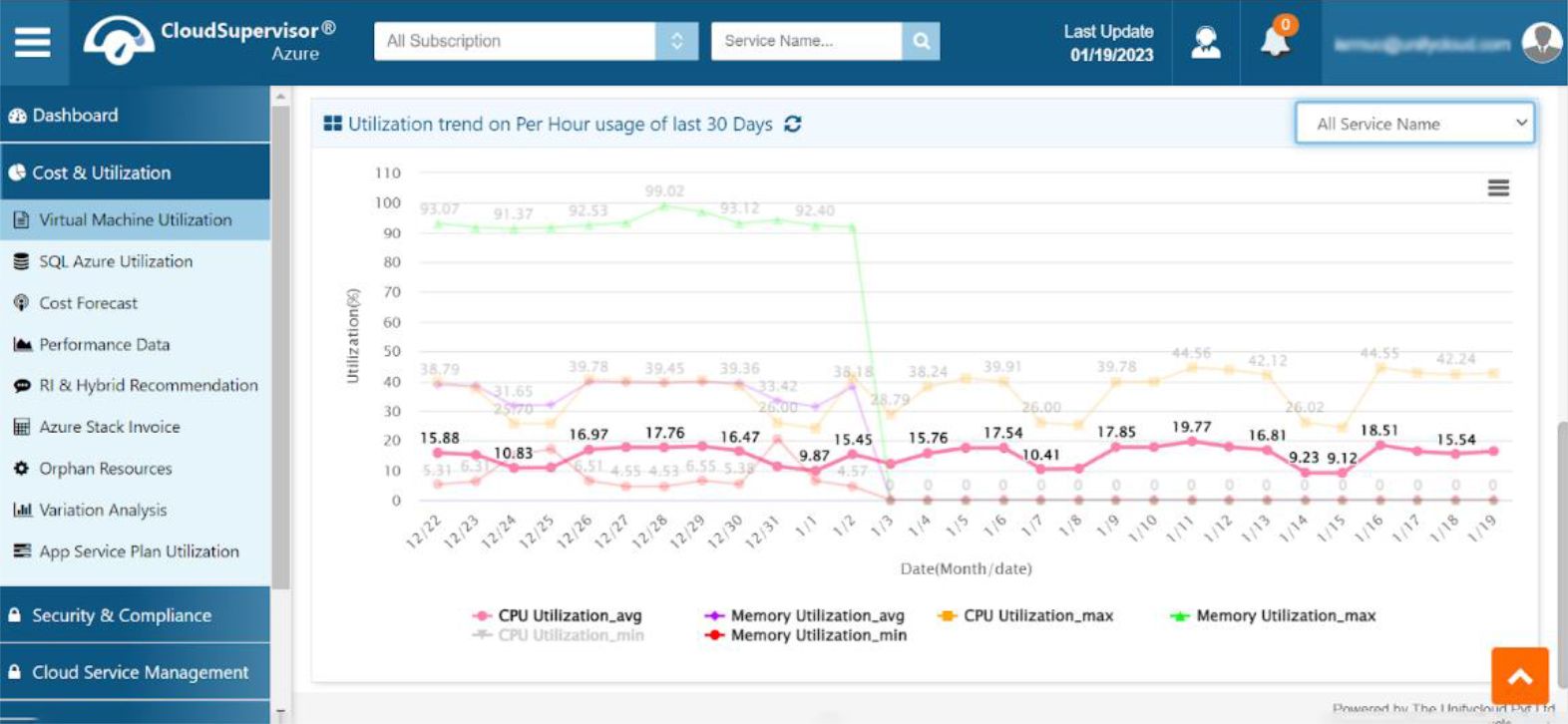
Figure 4: CPU Utilization Average
2.2 CPU Utilization Maximum
Clicking the corresponding option opens a graph displaying the maximum CPU consumption of various services on the respective days.
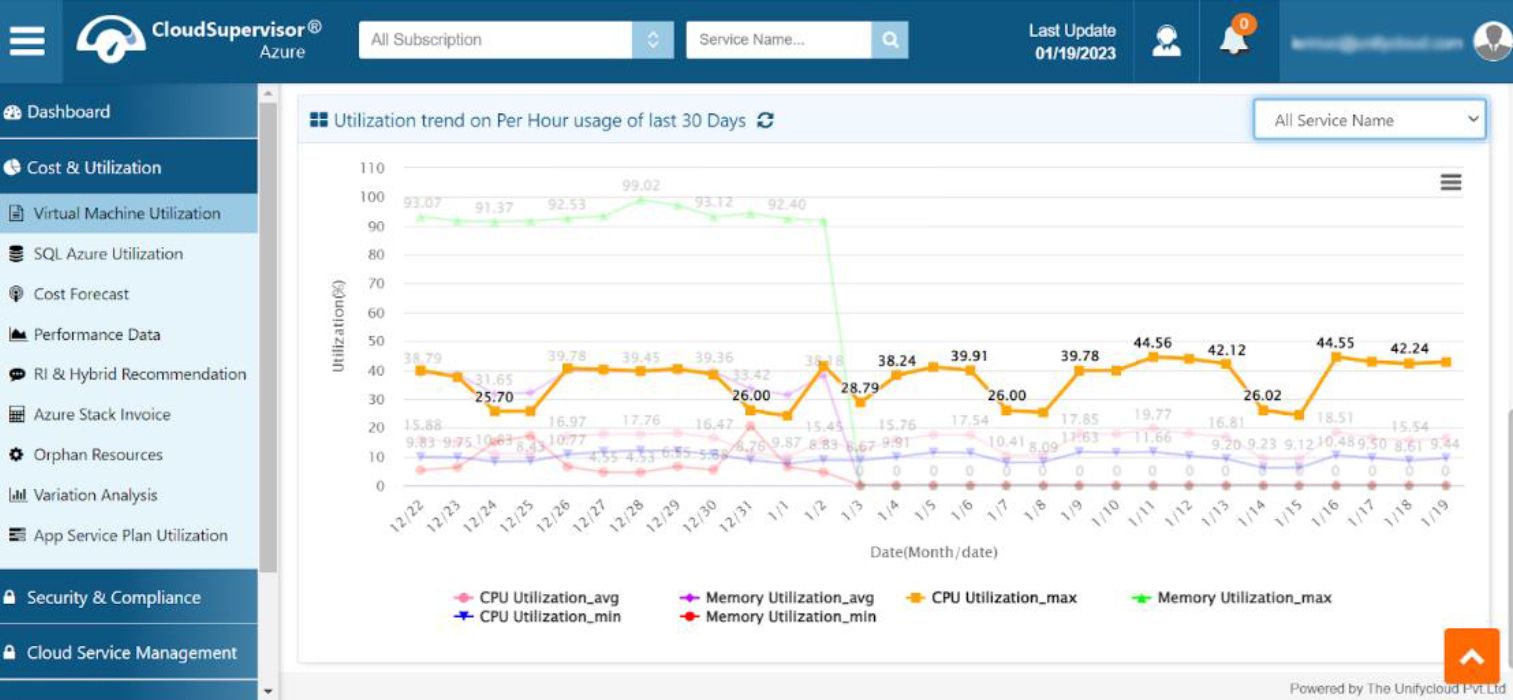
Figure 5: CPU Utilization Maximum
2.3 CPU Utilization Minimum
Clicking the corresponding icon displays the minimum CPU utilization across various services.
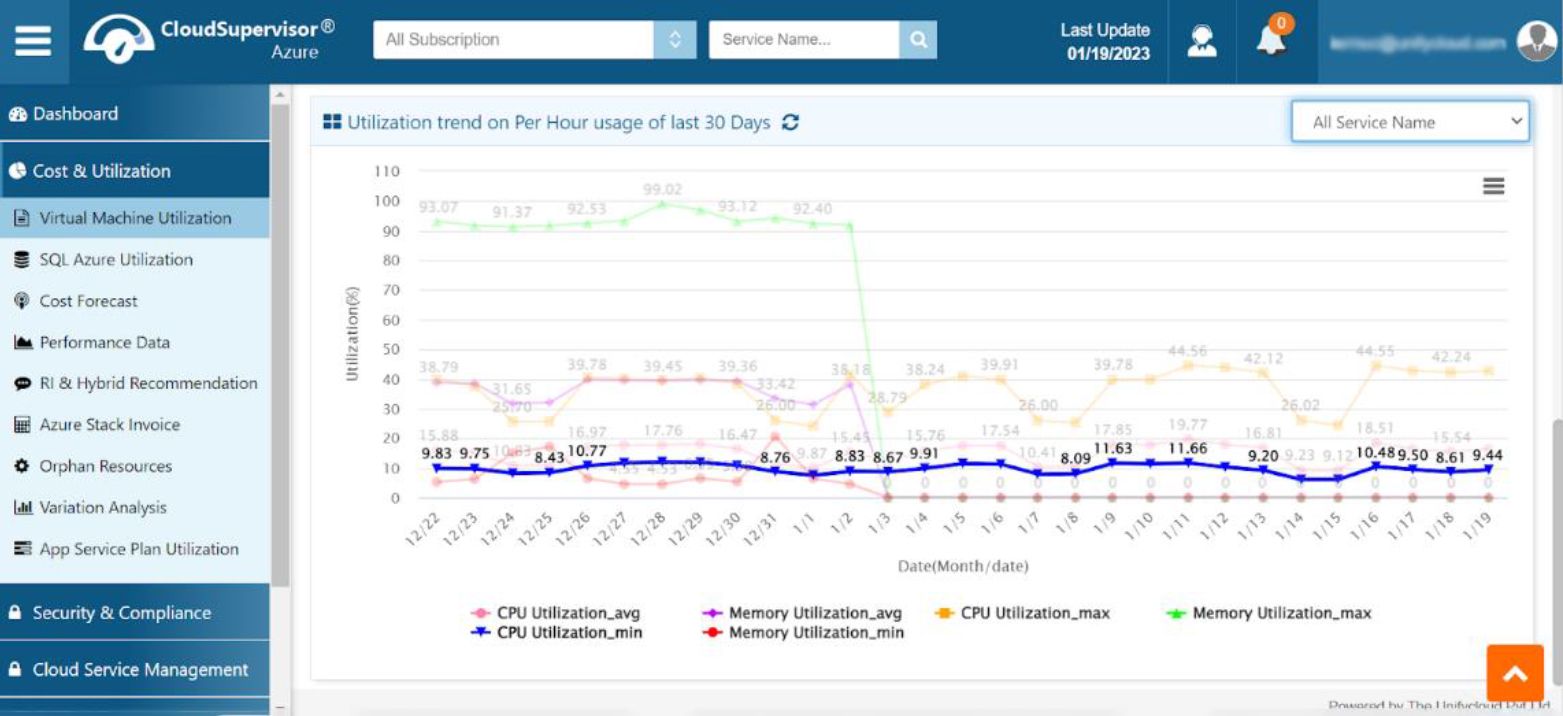
Figure 6: CPU Utilization Minimum
2.4 Memory Utilization Average
Clicking the Memory Utilization Average icon displays a graph of the average memory utilization for each service, including the utilization percentage and date.
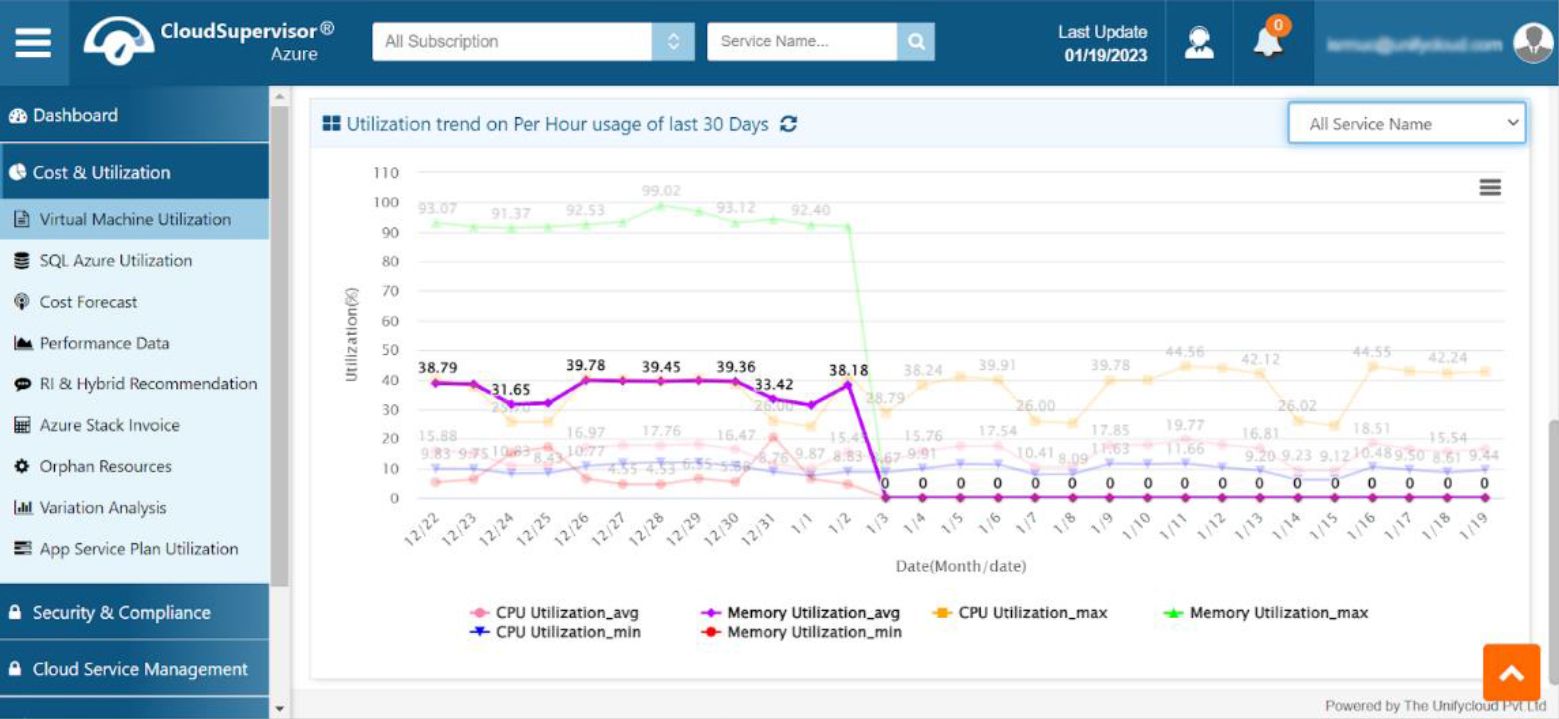
Figure 7: Memory Utilization Average
2.5 Memory Utilization Maximum
Clicking the corresponding icon displays a graph showing the maximum memory utilization for each service.
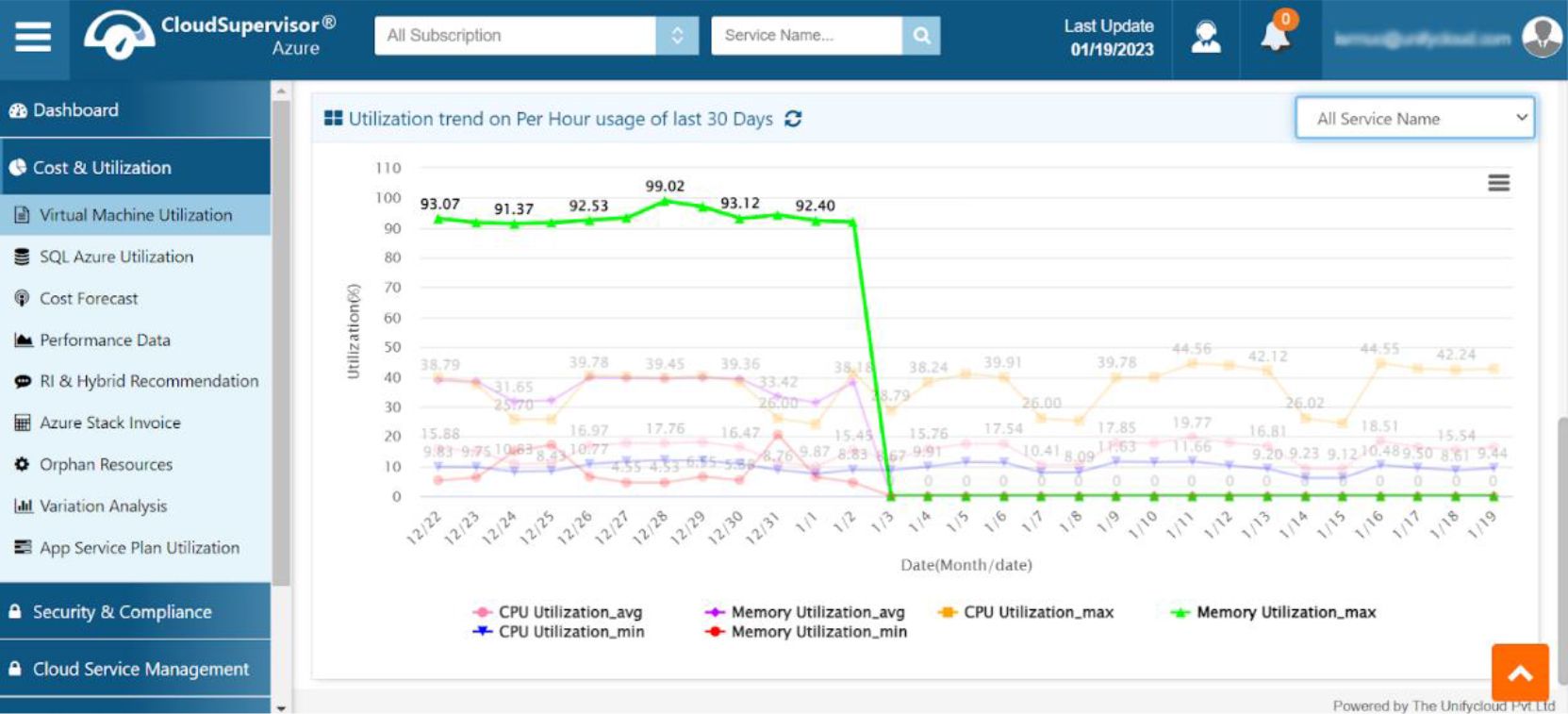
Figure 8: Memory Utilization Maximum
2.6 Memory Utilization Minimum
Clicking the Memory Utilization Minimum icon displays details of the minimum memory utilization across various services.
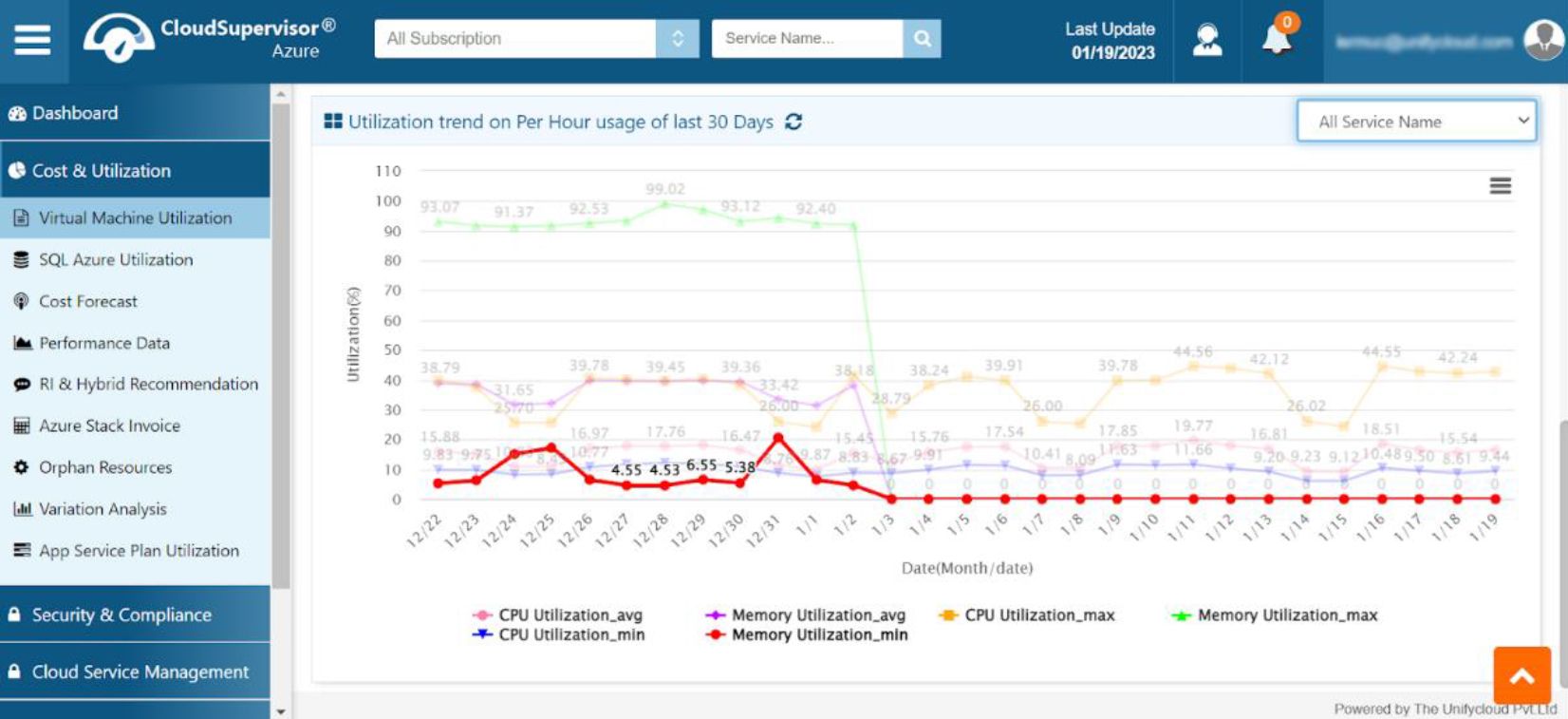
Figure 9: Memory Utilization Minimum
3. Saving Plan Recommendations
-
This dashboard provides detailed information about Pay-As-You-Go (PAYG) costs, savings plans, plan tenure, potential savings, and committed amounts for each subscription.
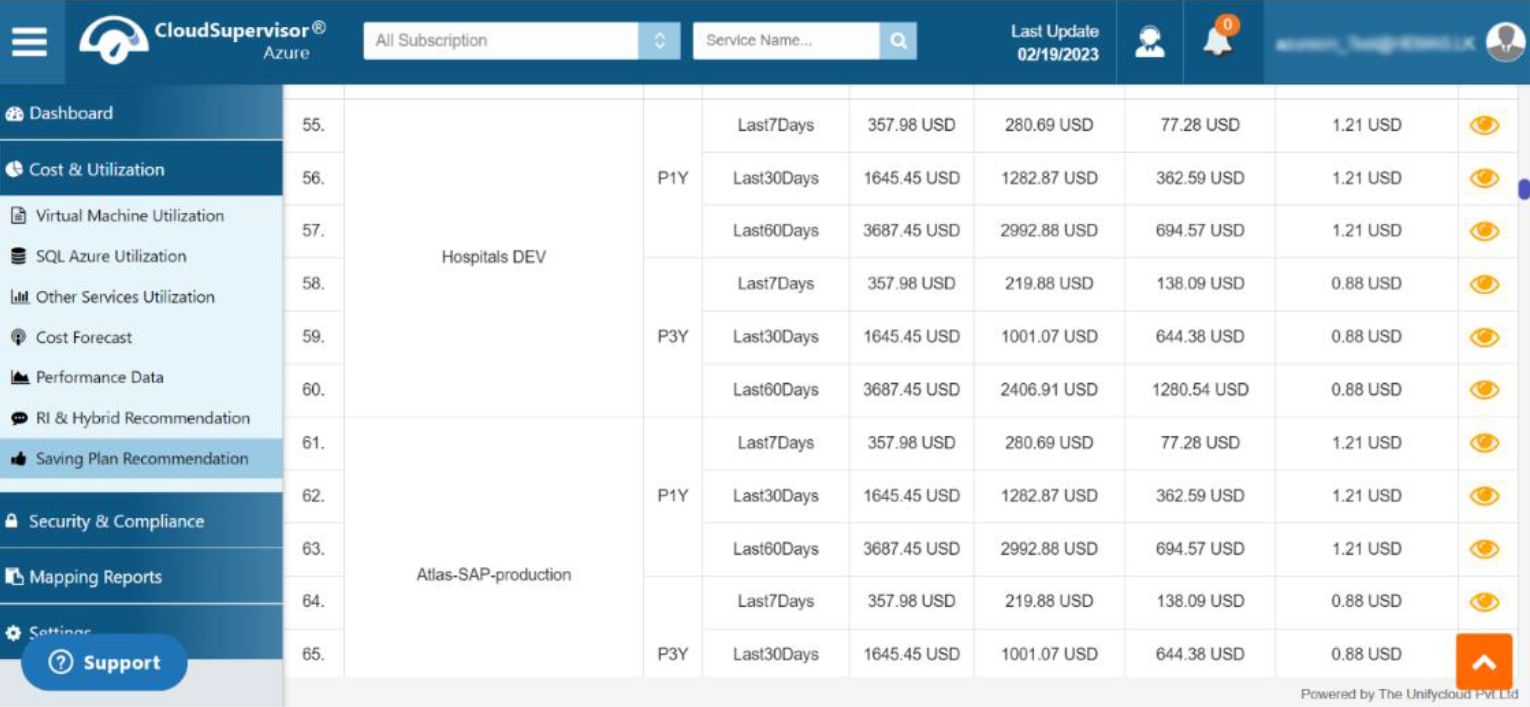
Figure 10A: Saving Plan Recommendations
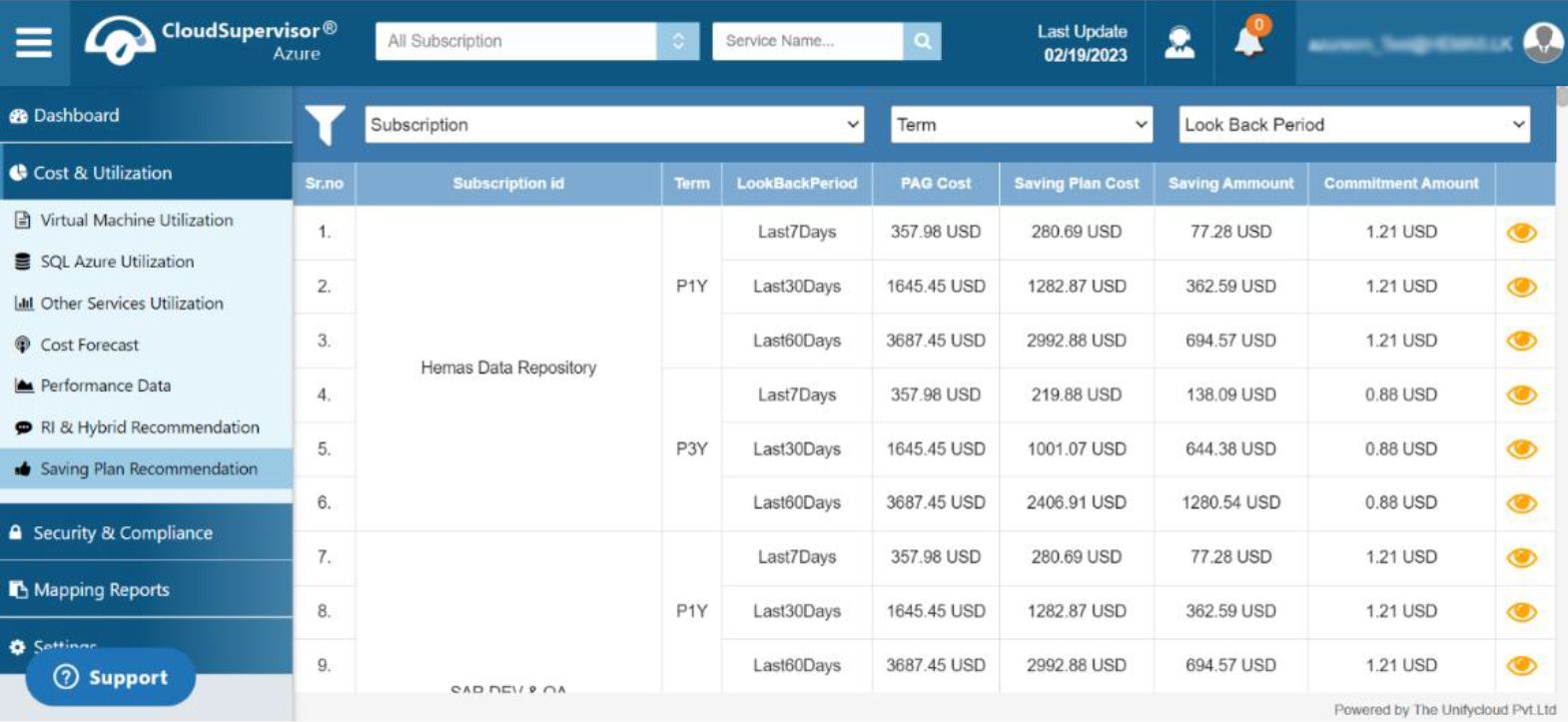
Figure 10B: Saving Plan Recommendations
Click the eye icon to view the list of recommendations based on usage over the previous seven days.
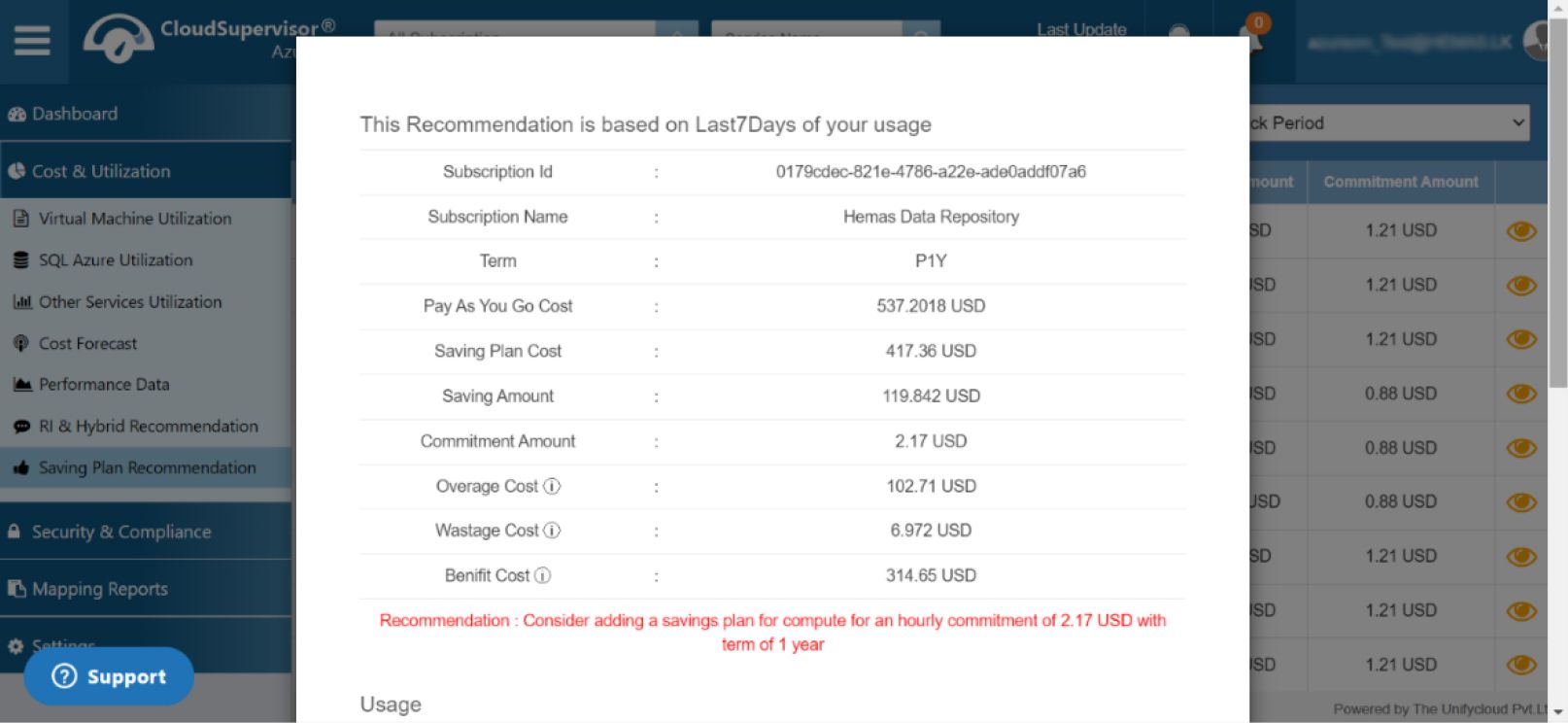
Figure 10C: Saving Plan Recommendations
The dashboard provides recommendations based on the previous seven days of usage. It includes cost information for savings plans, Pay-As-You-Go usage, overage, wastage, and potential benefits.
It also provides recommendations based on an hourly commitment of USD 2.17 over a one-year tenure.
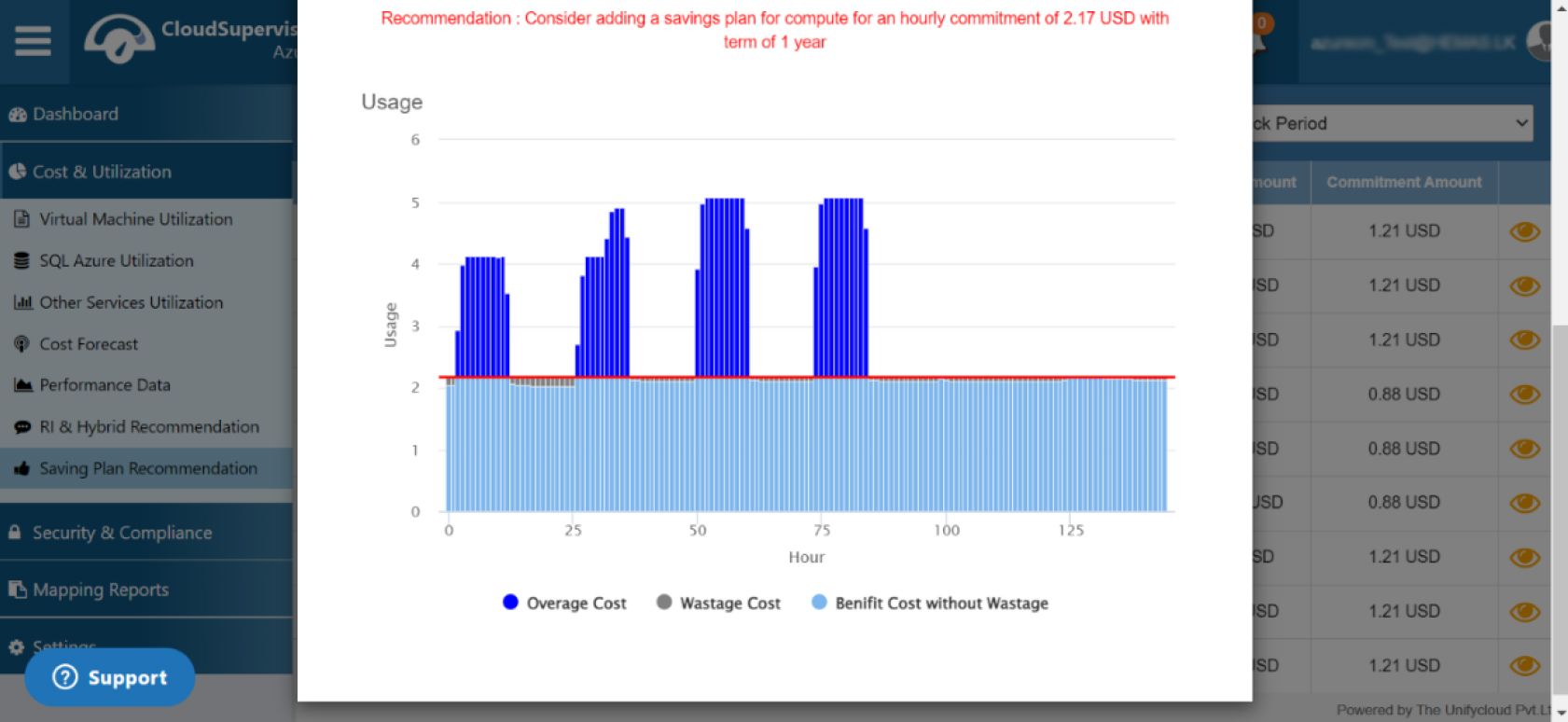
Figure 10D: Saving Plan Recommendations
4. Mapping Reports
4.1 Tag Mapping
This dashboard allows users to select Supervisor Tag Keys from a dropdown list.
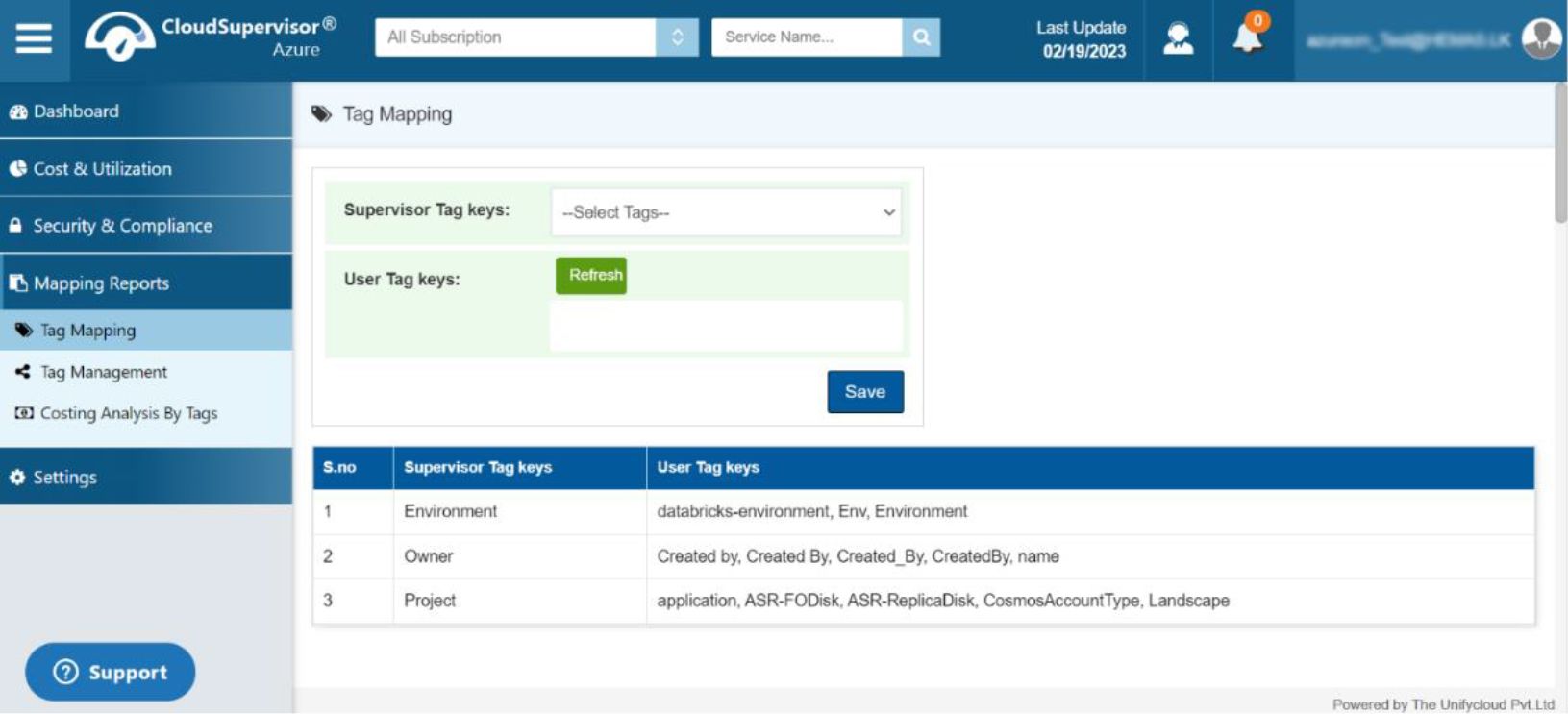
Figure 11A: Tag Mapping
Users can map the Supervisor Tag Keys to their corresponding user tag keys and save the mapping.
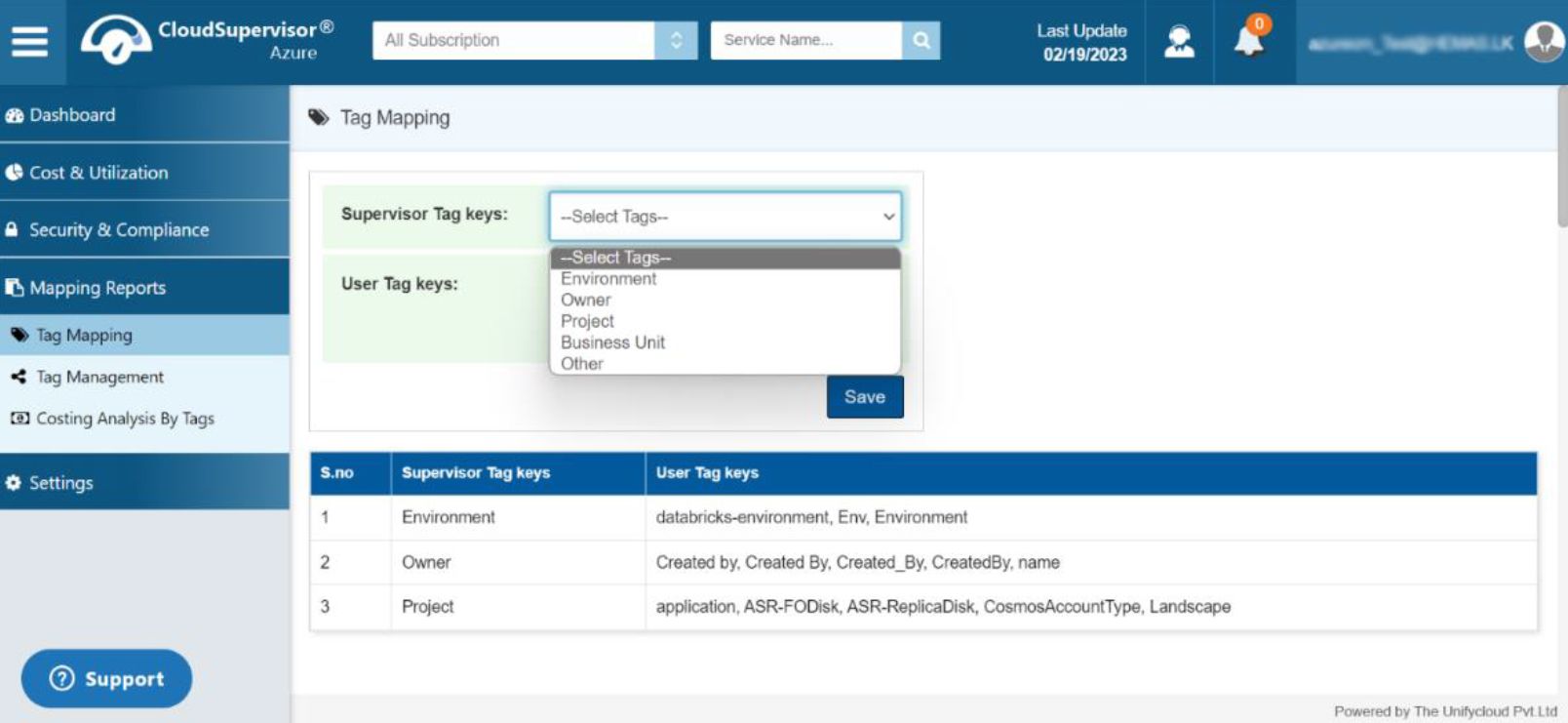
Figure 11B: Tag Mapping
Once saved, the user tag keys are mapped to the corresponding Supervisor Tag Keys.
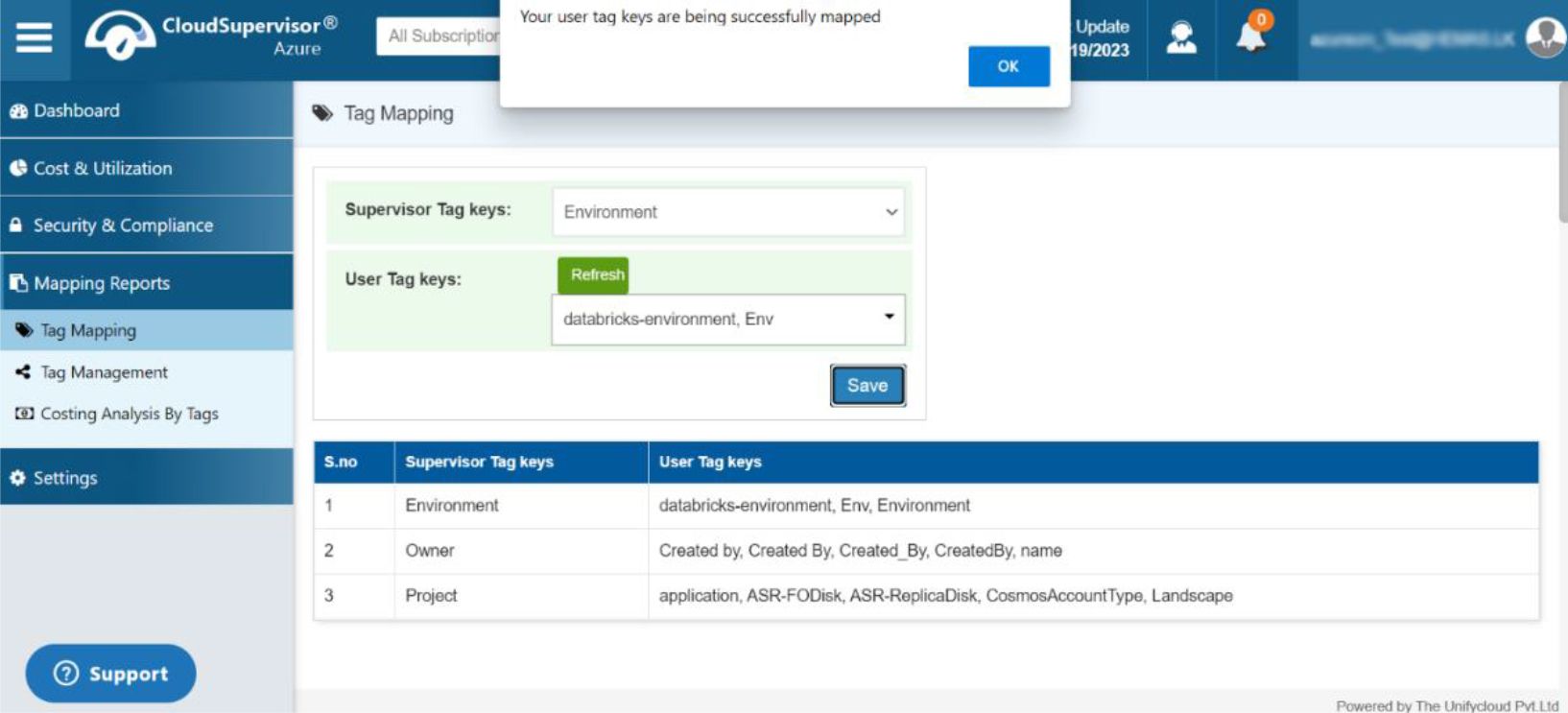
Figure 11C: Tag Mapping
The dashboard is designed to map Supervisor Tag Keys to user tag keys.
5. Tag Management
5.1 Import/Export Template
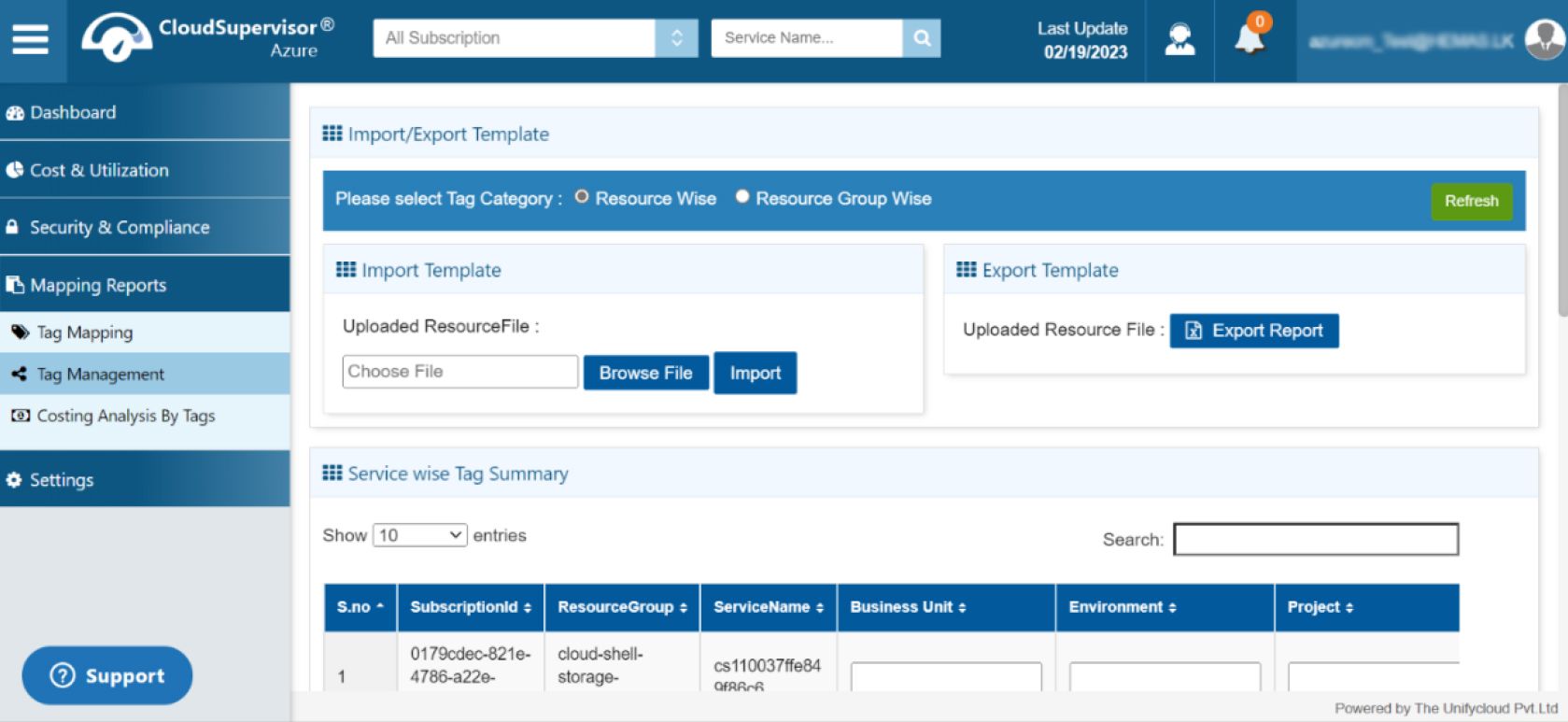
Figure 12: Import/Export Template
Users can select a tag category from two options: Resource-Wise or Resource Group-Wise. The dashboard provides import and export functionality for uploading resource files.
5.2 Service-Wise Tag Summary
This dashboard provides subscription details, including resource group, subscription ID, service name, project, environment, and business unit. It also allows users to save their changes.
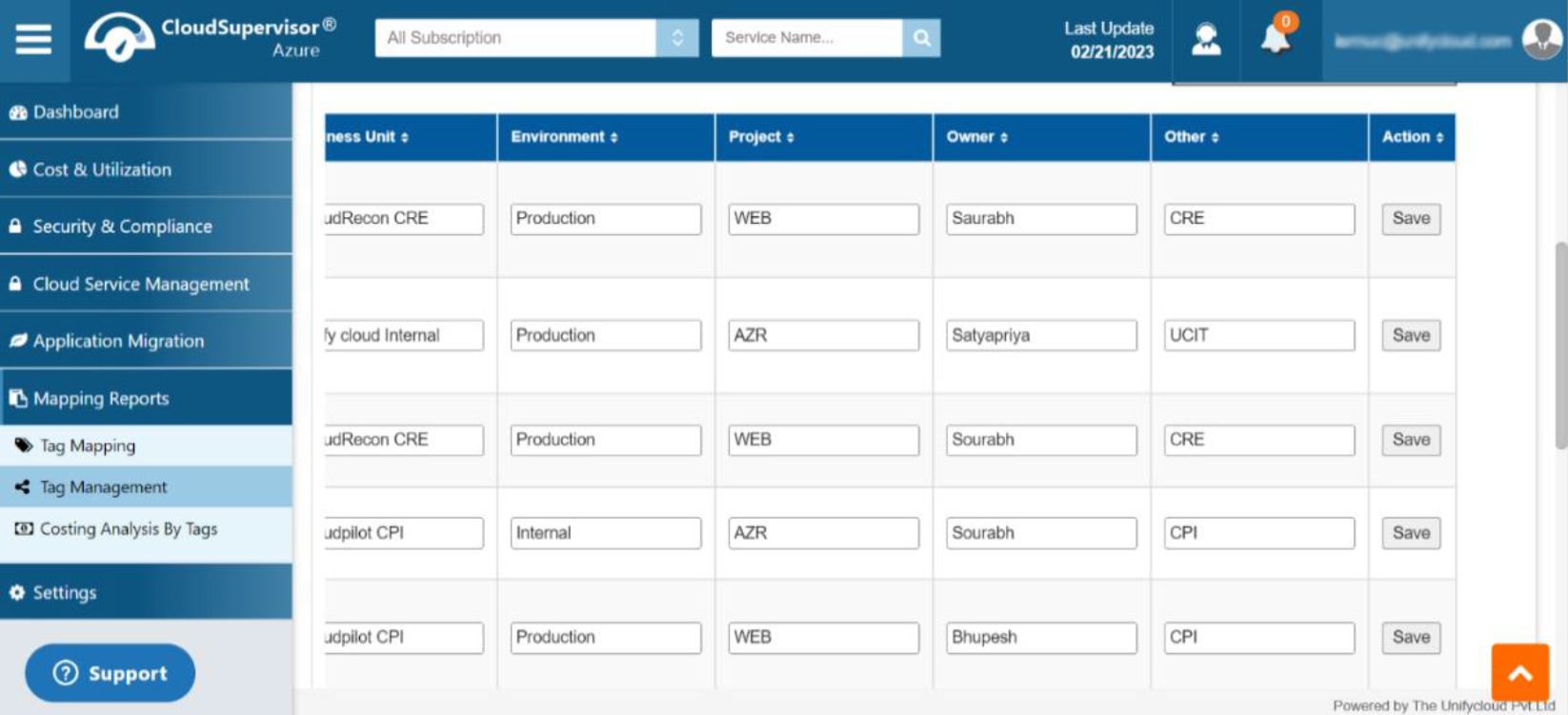
Figure 13: Service-Wise Tag Summary
6. Costing Analysis by Tags
This dashboard provides cost analysis and recommendations based on tags, including Business Unit, Environment, Project, Owner, and Other.
Clicking a tag category, such as Business Unit, Environment, Project, Owner, or Other, opens a pie chart showing the cost breakdown. The dashboard also provides subscription-wise spending details.
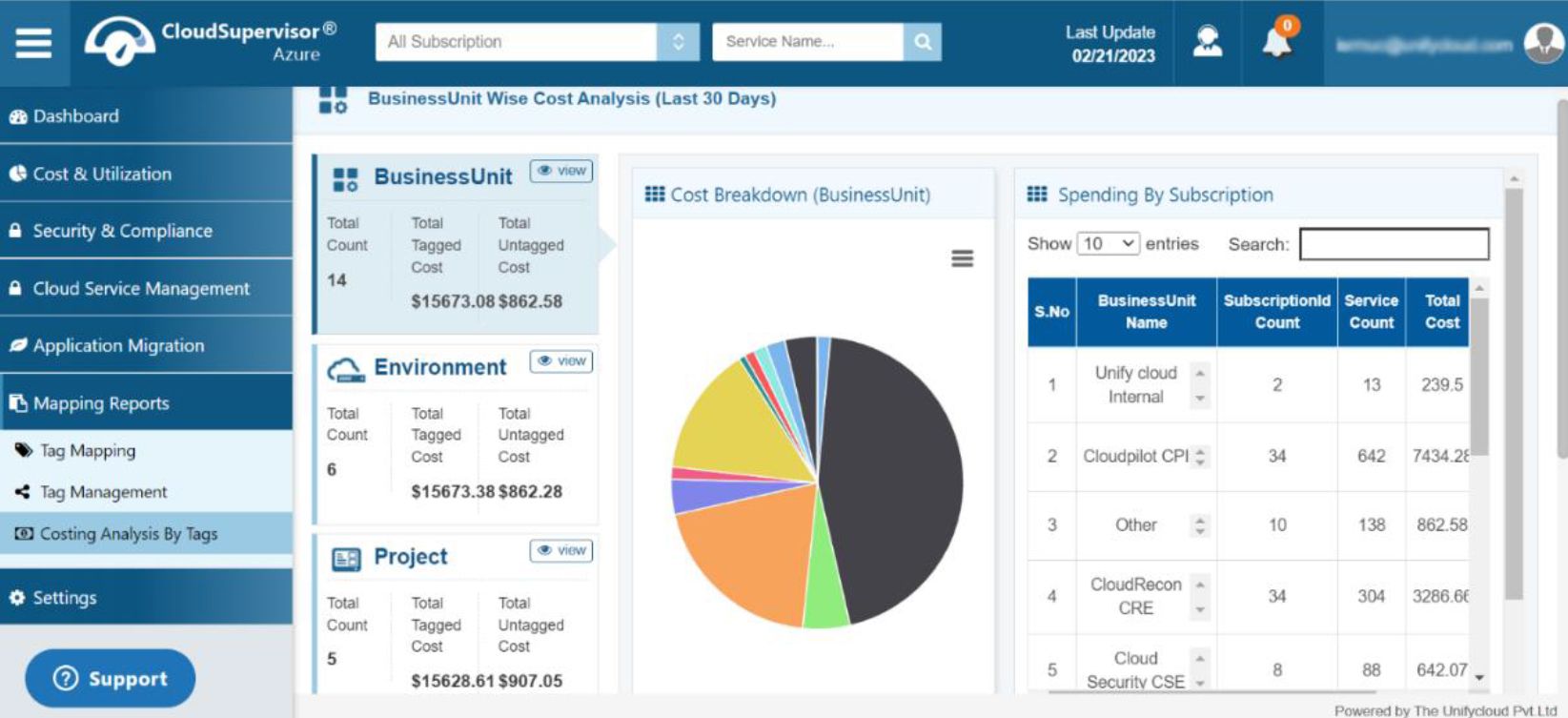
Figure 14A: Costing Analysis by Tags
Click the view icon to open the Business Unit Details Dashboard, which displays cost and utilization information for the previous 30 days.
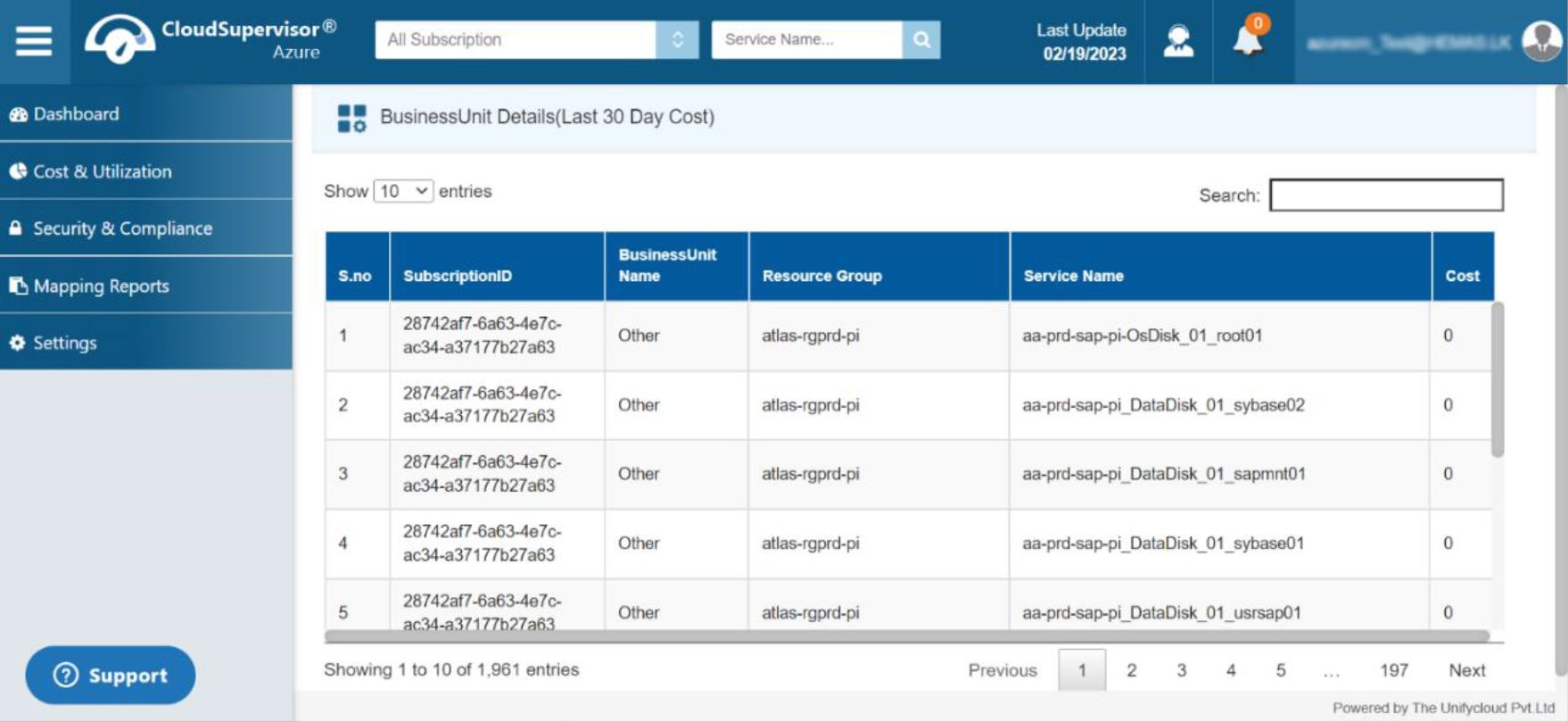
Figure 14B: Costing Analysis by Tags
Clicking a business unit opens a dashboard showing the price breakdown for products such as CloudRecon, CloudPilot, CloudSupervisor, and others.
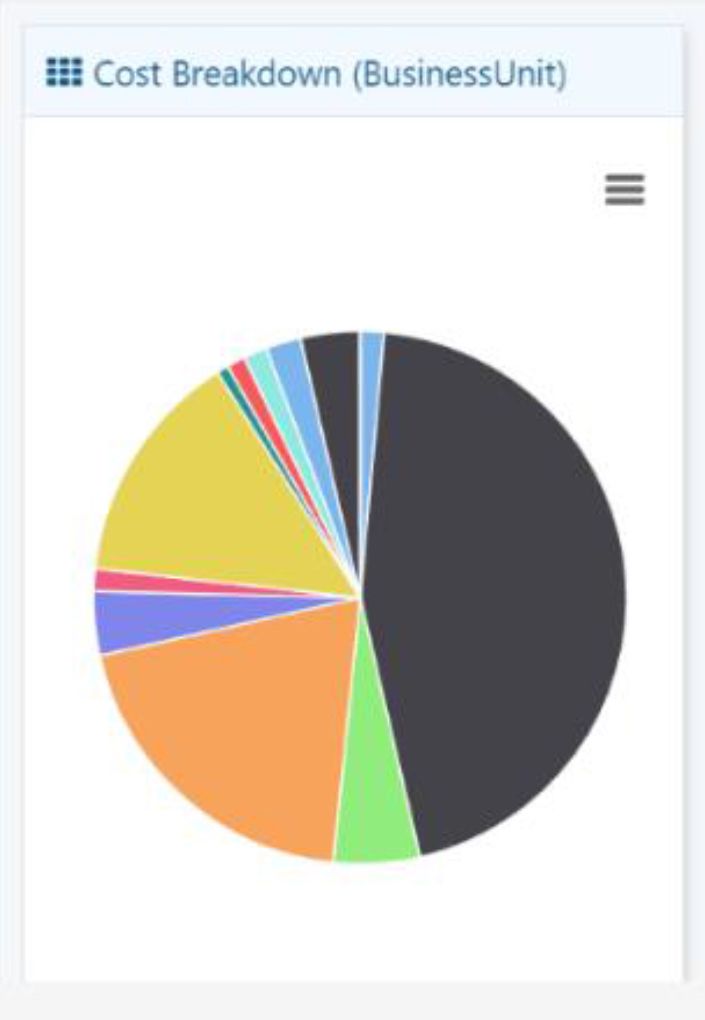
Figure 14C: Cost Breakdown
The dashboard also provides a spending-by-subscription list containing the business unit name, subscription count, service count, and total cost.
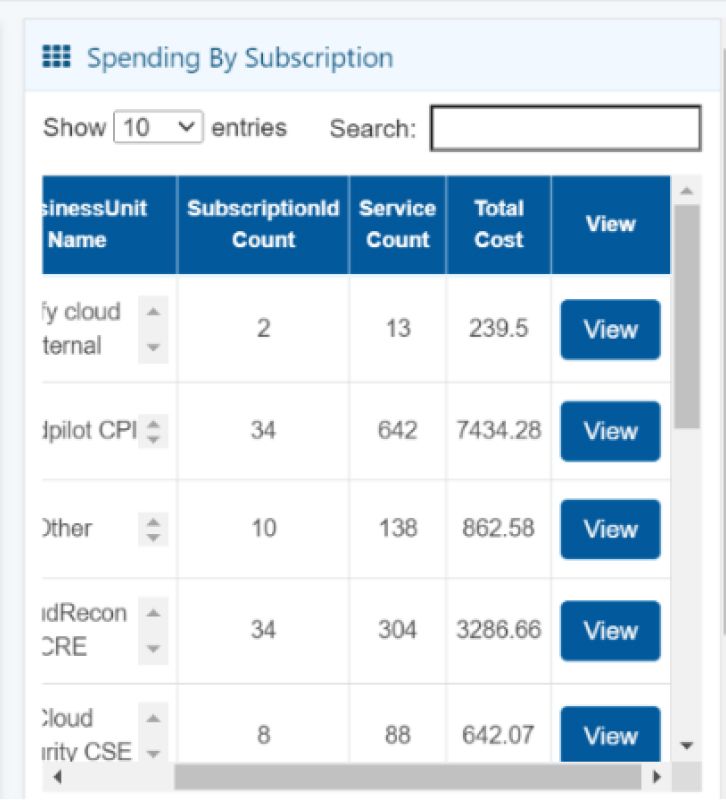
Figure 14D: Spending by Subscription
Click the view icon to open the dashboard with detailed subscription-wise spending information.
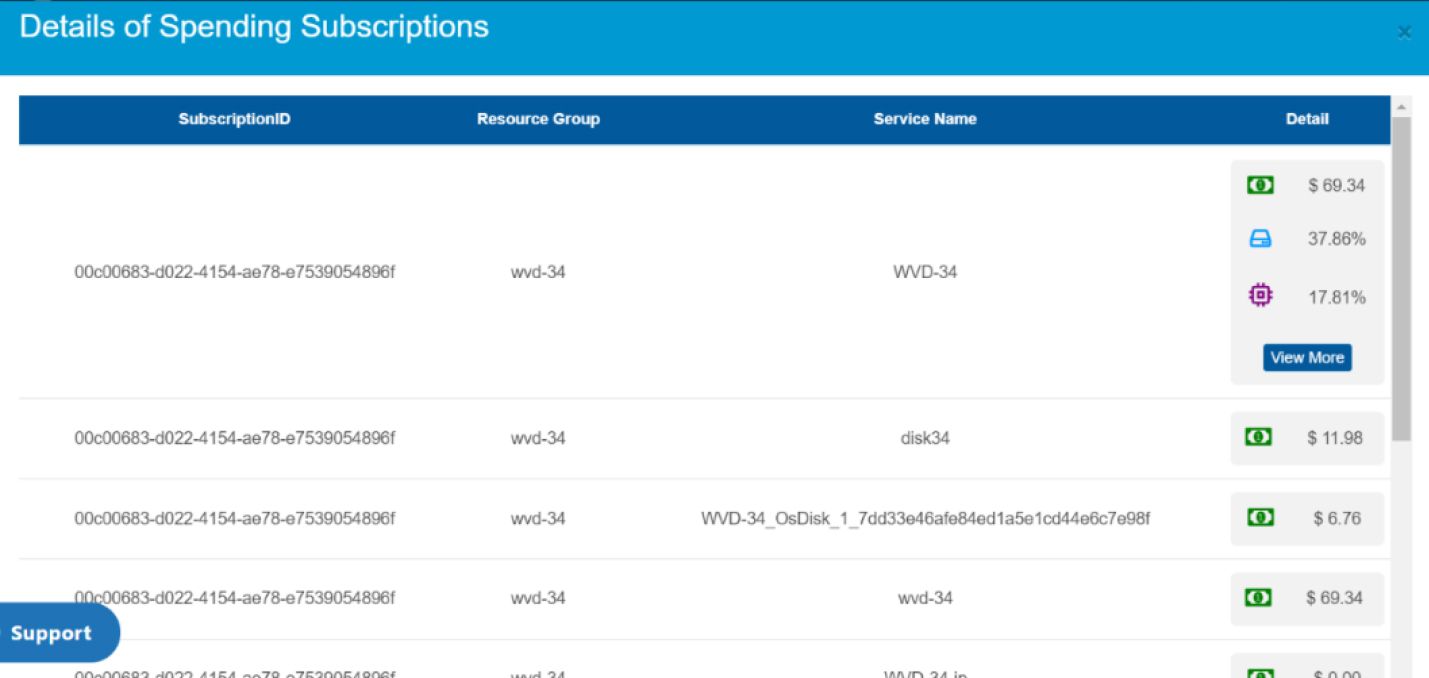
Figure 14E: Details of Spending Subscriptions
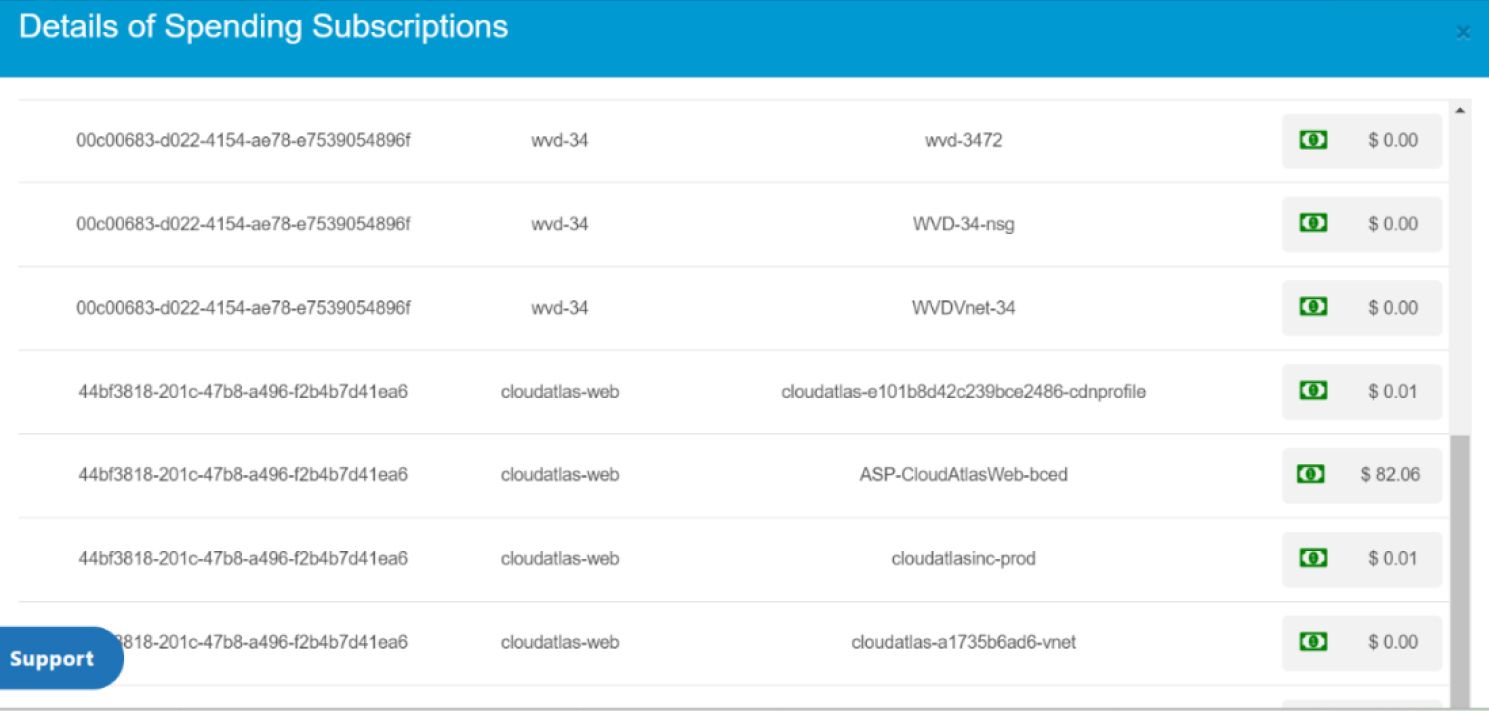
Figure 14F: Details of Spending Subscriptions
Clicking the view icon also provides access to the Business Unit Details Dashboard, which displays cost and utilization information for the previous 30 days.
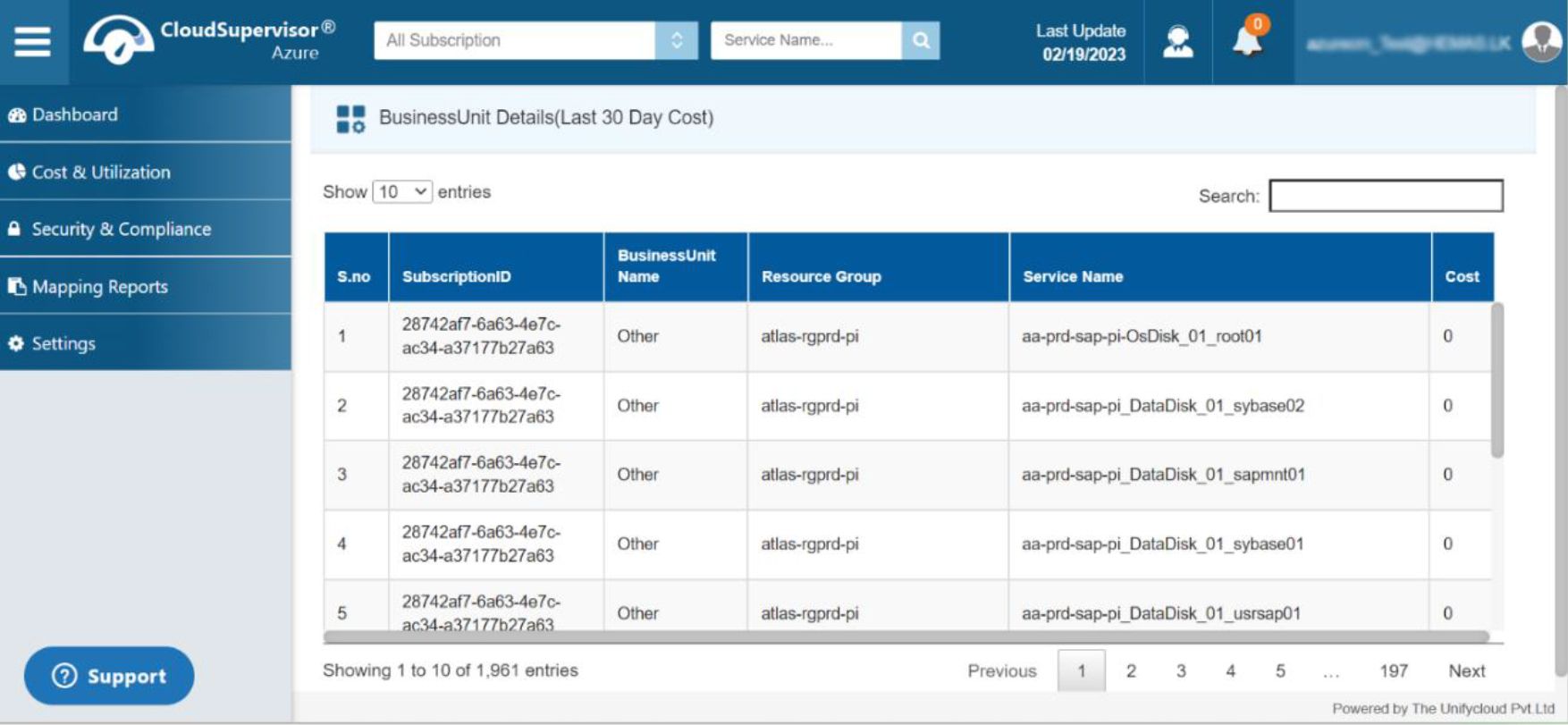
Figure 14G: Costing Analysis by Tags