
INTRODUCTION
CloudAtlas CloudSecurity is a service from UnifyCloud that analyzes the security of IT environments using various security frameworks, benchmarks, and baselines.
PURPOSE
This document outlines the new features added to the CloudAtlas CloudSecurity tool in October 2023. Customers can use this document as a guide to understand and leverage the benefits of these features.
INTENDED AUDIENCE AND PERTINENT SECTIONS
This document is intended for company personnel, customers, and partners. It serves as a reference for understanding the feature updates and using them accordingly.
1. REPORTS
1.1 Recommendations
Select the Recommendations tab from the Reports menu to access the recommendations dashboard. Choose either the Azure Exec or Azure + O365 report from the dropdown list.
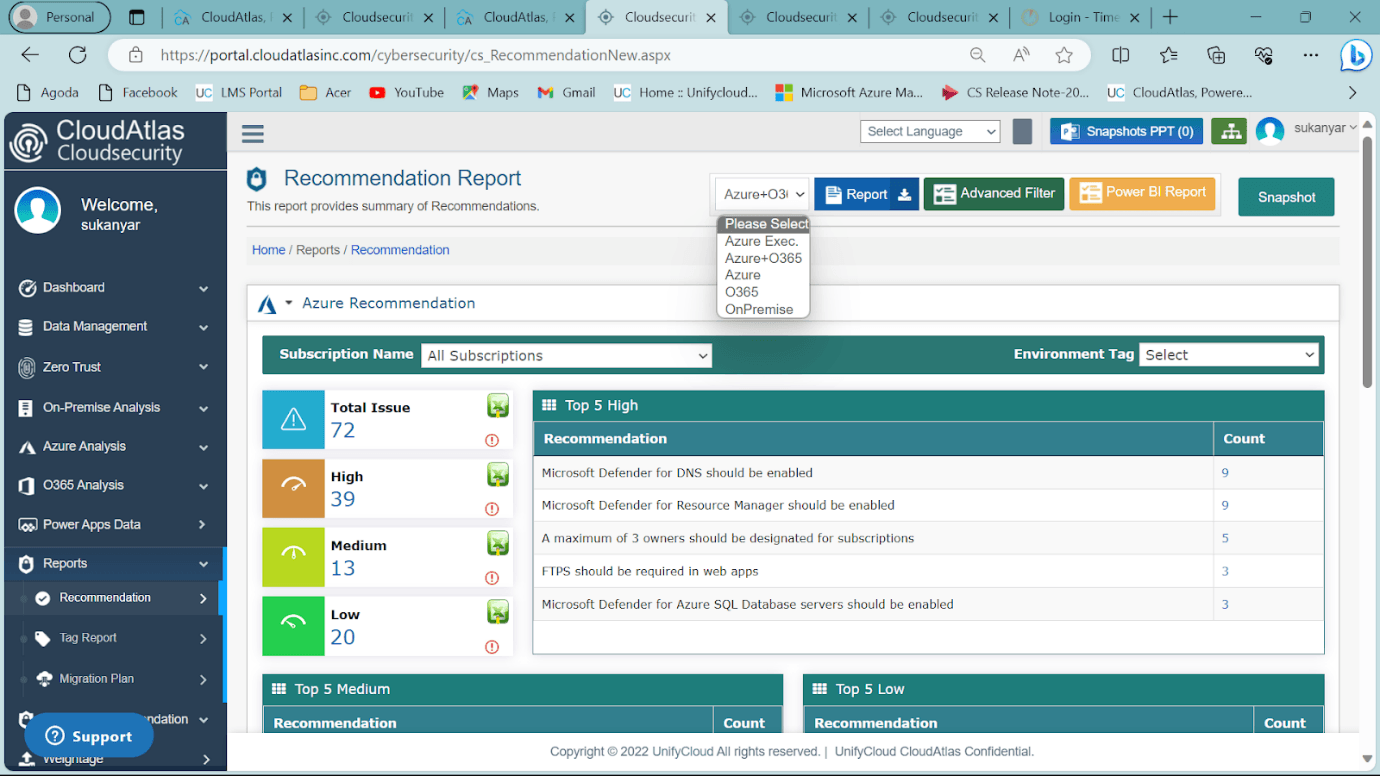
Figure 1: Recommendations Dashboard
1.1.1 Azure Executive
The Azure Executive report provides an executive summary of the Azure security assessment.
- Select the Azure Exec report.
- Click the Download Report option.
- Click OK in the confirmation dialog box.
- The Azure Exec report will download automatically.
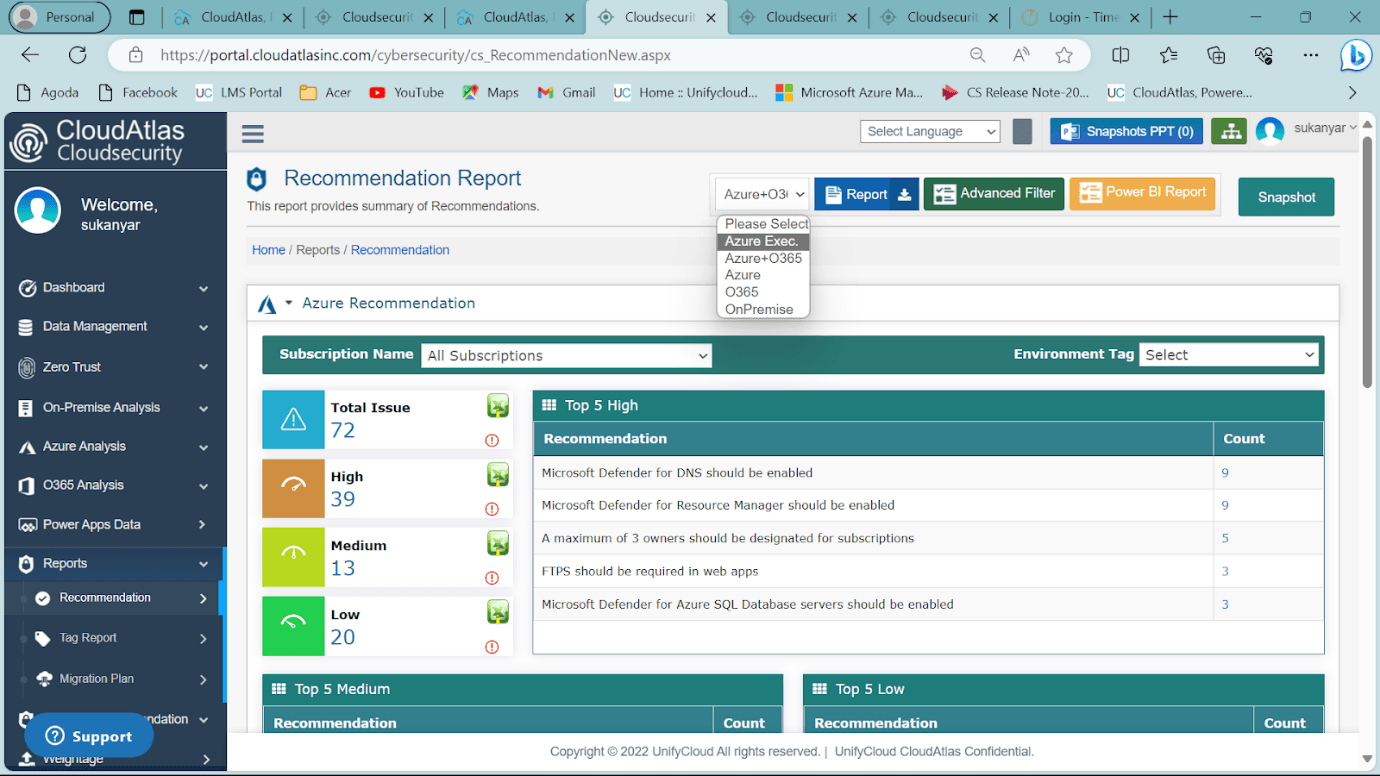
Figure 2: Azure Exec Report
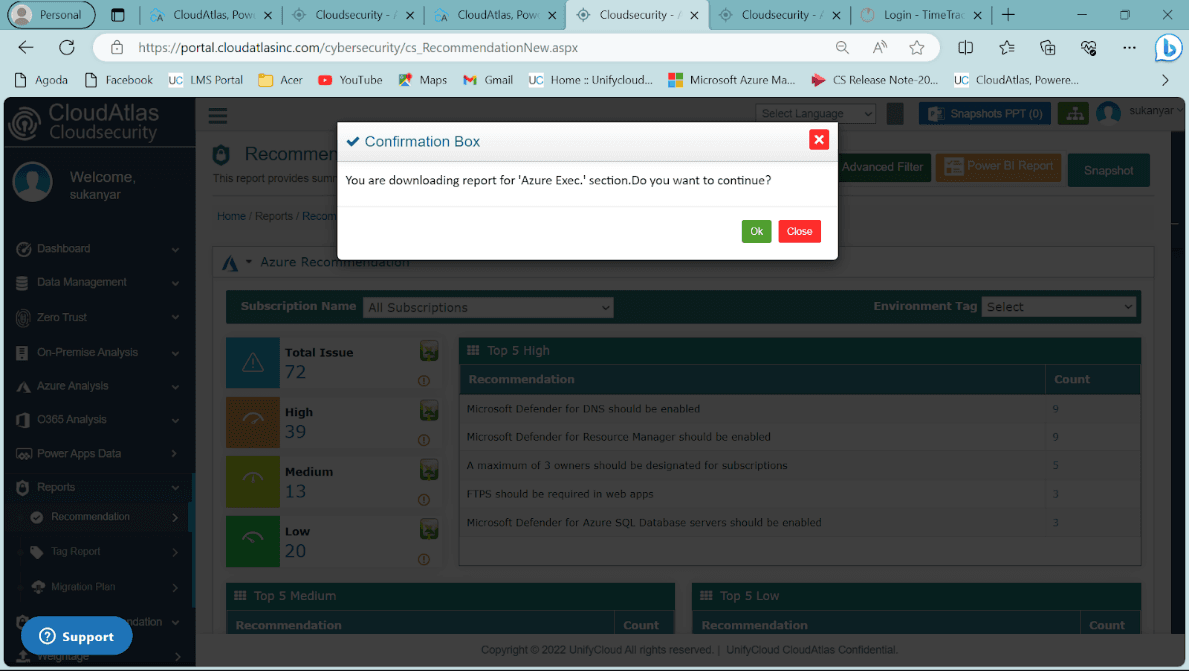
Figure 3: Confirmation Box
Azure Exec Report Summary
The report provides a concise overview of the Azure environment's security status, risks, and recommended improvements.
Security Summary
- Total subscriptions: Overview of the total number of subscriptions.
- Team member security status: Assessment of team members' security status.
- Azure security score: Security score indicating the identified risk level.
- Severity issues: Categorization of issues as high, medium, or low severity.
- Practical recommendations: Actionable recommendations for improving security.
Security Areas Covered
- Team member security: Security of team members.
- Network security: Security of network infrastructure.
- Identity management: Identity management insights and best practices.
- Privileged access: Protection of privileged access to resources.
- Data protection: Protection of sensitive data.
- Asset management: Management of digital assets.
- Logging and threat detection: Logging practices and detection of potential threats.
- Posture and vulnerability management: Security posture and vulnerability management practices.
- Endpoint security: Endpoint security concerns and recommended improvements.
- Backup and recovery: Recommendations for backup and recovery practices.
- Governance and strategy: Security governance and strategic planning.
Detailed Information and Recommendations
The report provides detailed information for each security area, along with specific recommendations. Issues are prioritized by remediation timeframe: immediately, within a quarter, or after a quarter.
Additional Azure Exec Report Highlights
- Azure Defender coverage: Coverage provided by Azure Defender.
- Defender alerts: Information about generated Defender alerts.
- Unprotected resources: Insights into resources that lack protection.
- Azure Sentinel report: Security analytics and threat detection information.
- Zero Trust workflow: The workflow for enhancing security through a Zero Trust approach.
- Cost overview: An overview of Defender costs.
1.1.2 Azure + O365
The Azure + O365 report provides a combined overview of Azure and Microsoft Office 365 security assessments.
- Select the Azure + O365 report.
- Click the Download Report option.
- Click OK in the confirmation dialog box.
- The Azure + O365 report will download automatically.
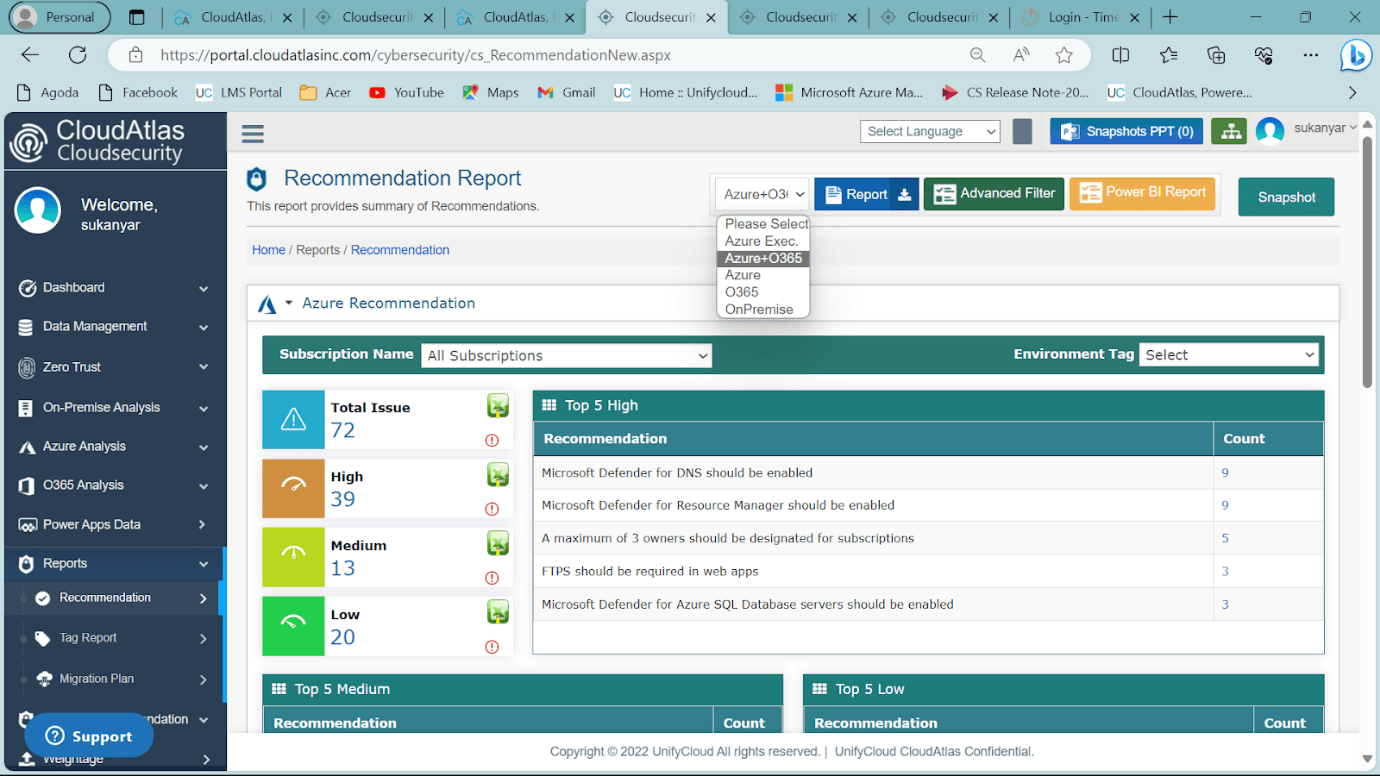
Figure 4: Azure + O365 Report
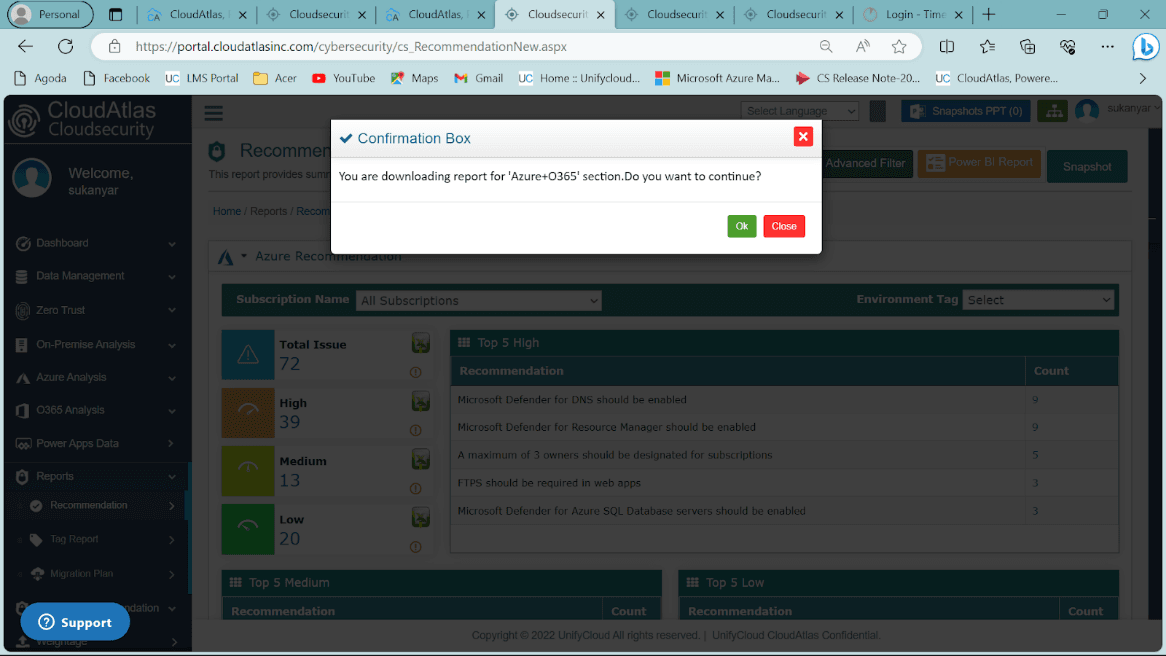
Figure 5: Confirmation Box
Azure + O365 Report Summary
Cybersecurity Capability Analysis
- Evaluation of deployed cybersecurity technologies.
- Assessment of cybersecurity risk management policies and processes.
- An actionable improvement plan for the cybersecurity system.
Subscription Status Summary
- Implementation and effectiveness of security controls and remediation measures.
- Categorization of issues by severity: high, medium, or low urgency.
Azure Analysis
- Total number of subscriptions and resource groups.
- Vulnerability-related issues.
- Security status of team members.
- CloudAtlas analysis of the top five vulnerabilities.
Office 365 Analysis
- Security status of Office 365 team members.
- License upgrade recommendations.
- Benefits of Office 365 licenses.
Threat Protection
- Importance of XDR and SIEM for security compliance.
- Defender coverage and total coverage cost.
- Defender alerts and resources requiring advanced protection.
Azure Sentinel
- Unified capabilities for attack detection, threat visibility, proactive hunting, and threat response.
- Configuration details, incident status, and severity levels.
- Vulnerability mapping with Sentinel rules.
Microsoft Defender for Microsoft 365
- Detection and investigation of security incidents across networks.
- Support for demanding security analytics workloads.
Zero Trust Approach
- Coverage of applications, data, endpoints, identities, infrastructure, and networks.
- Overview of the Zero Trust workflow.
Defender Costing
The report provides an overview of Defender costs for production environments, high-usage resources, and good-to-have resources.
2. COSTING RECOMMENDATIONS
2.1 Azure
Select the Azure tab from the Costing Recommendations dropdown menu to access the Azure costing recommendations dashboard.
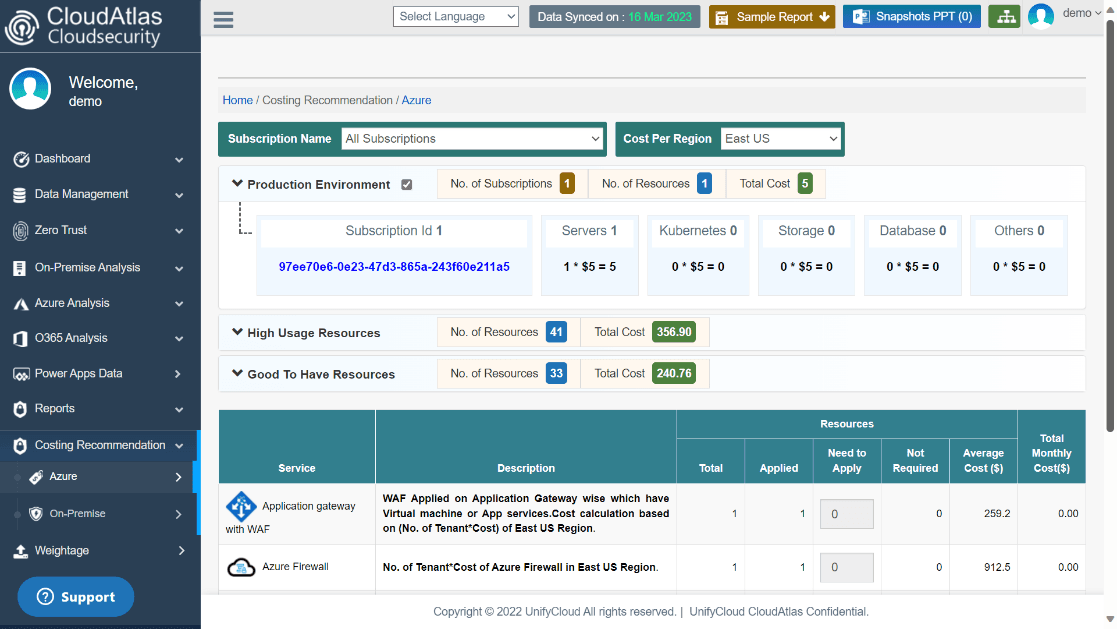
Figure 6: Costing Recommendation Dashboard – Azure
Select a subscription plan that meets your requirements and choose the pricing structure for your region of interest. The system generates recommendations based on your selections.
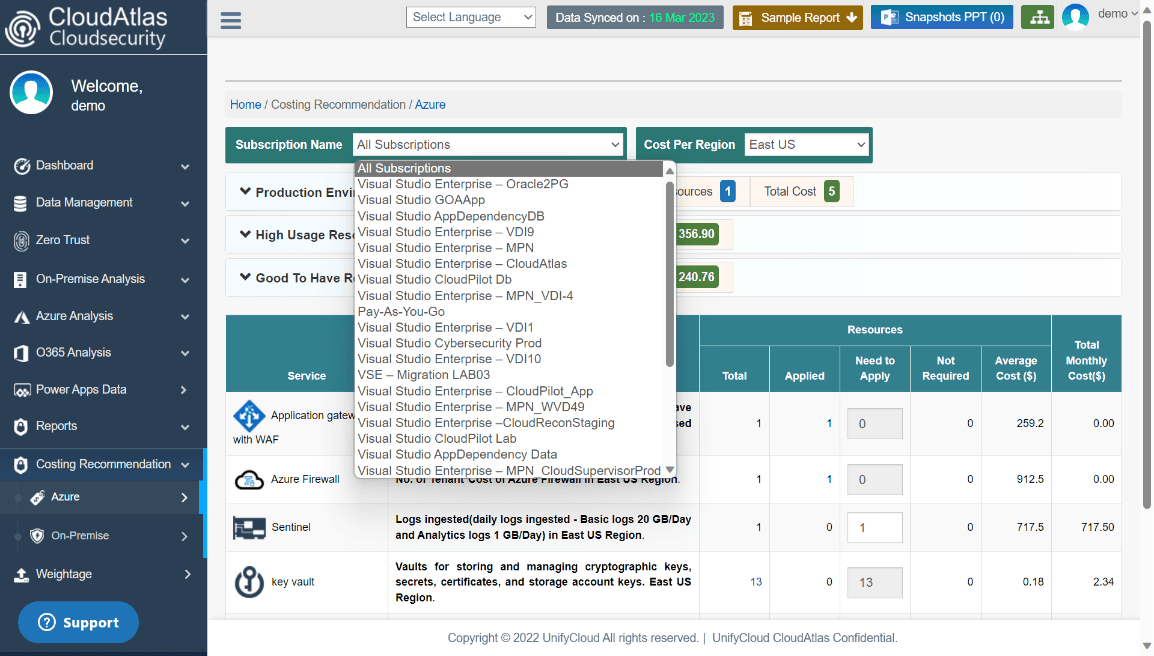
Figure 7: Subscription List
The dashboard provides an overview of Azure Defender cost recommendations across three categories: Production Environments, High Usage Resources, and Good-To-Have Resources.
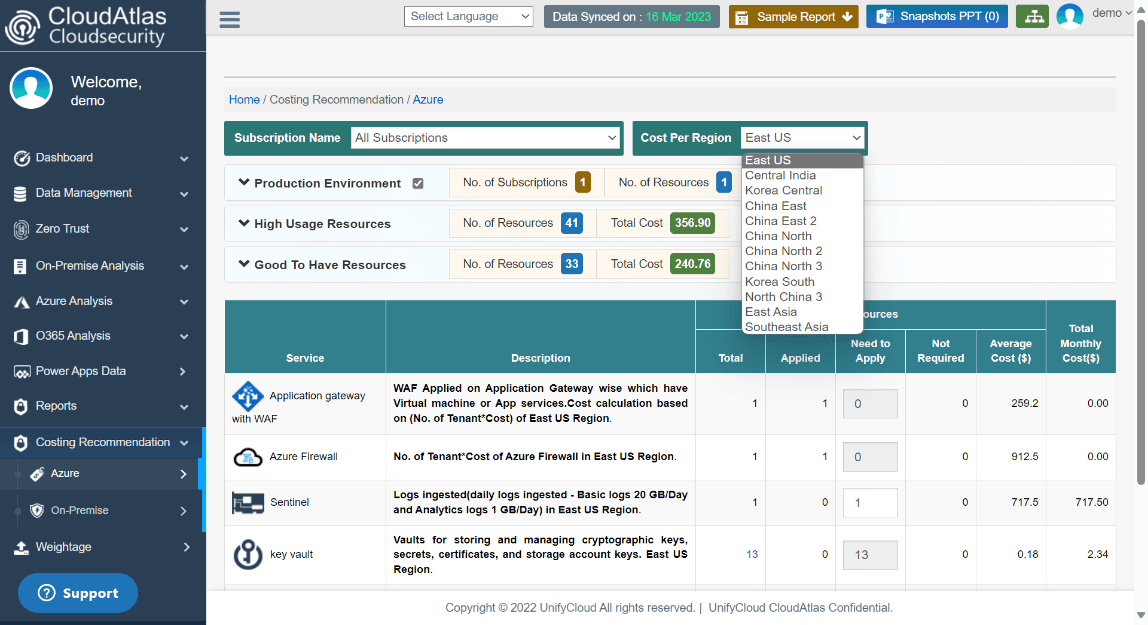
Figure 8: Cost Per Region
2.1.1 Production Environment (CSPM)
The production environment dashboard displays the total number of subscriptions, resources, and associated costs.
Users can view the total production environment cost, select a preferred subscription, and review costs for servers, Kubernetes, storage, databases, and other resources.
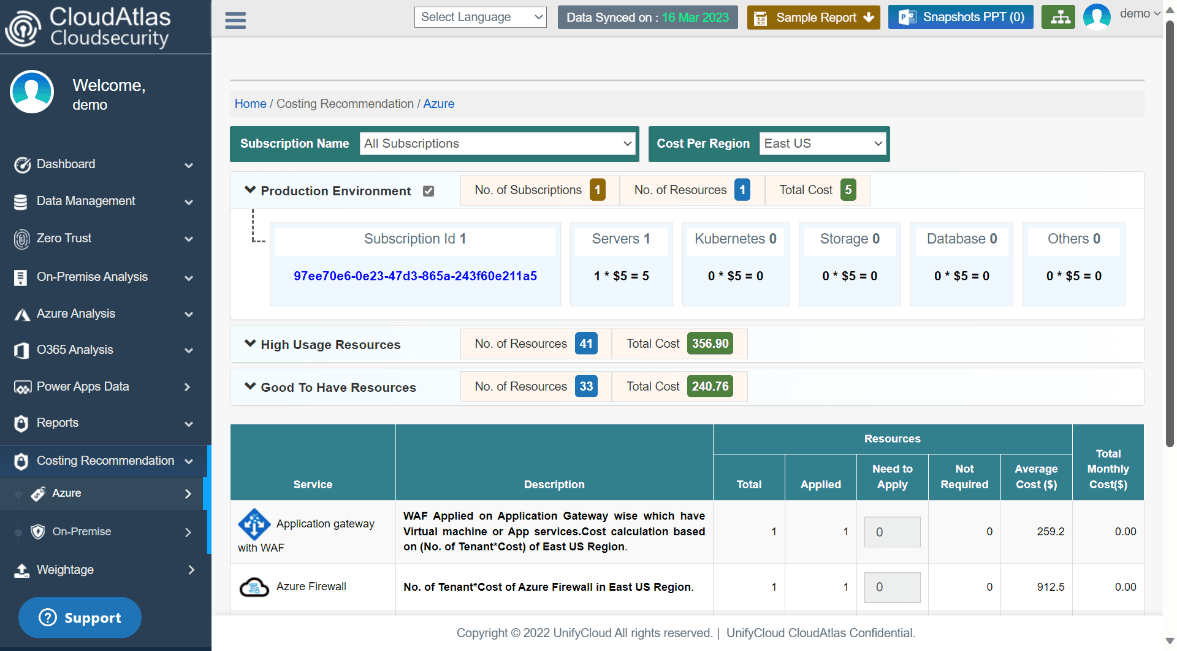
Figure 9: Production Environment
2.1.2 High Usage Resources
This dashboard displays information about high-usage resources, including their total count and cost. Users can review service descriptions and associated costs, including total monthly costs and average costs per resource.
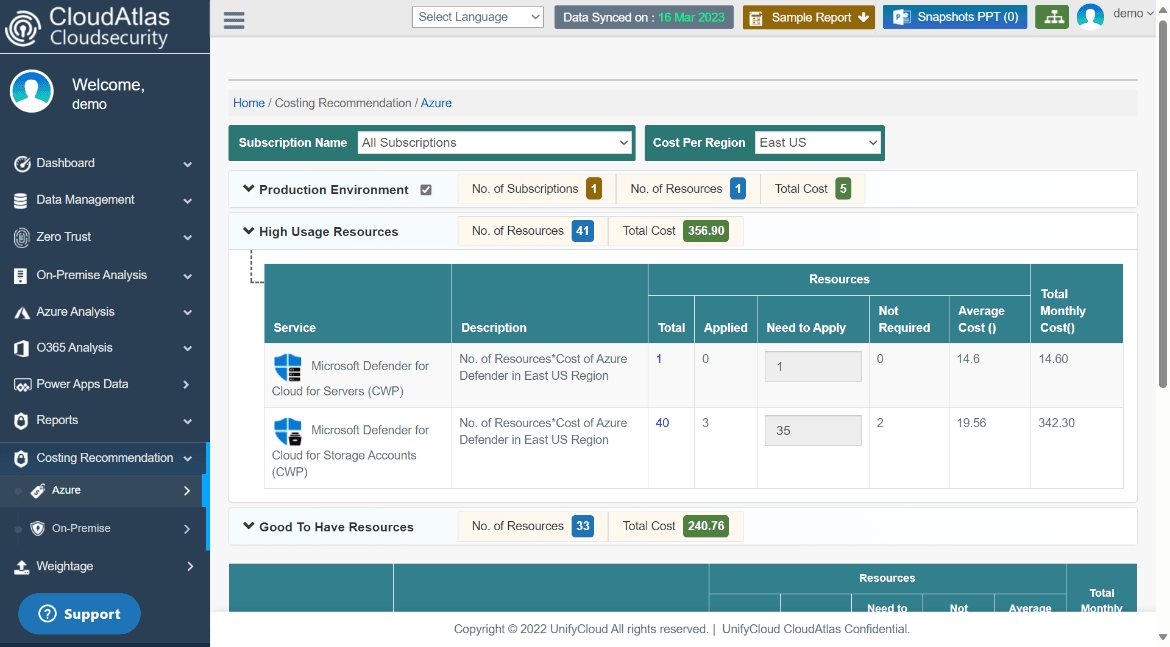
Figure 10: High Usage Resources
2.1.3 Good-To-Have Resources
This Azure Defender plan variant provides service descriptions and cost details, including total cost, applied cost, average cost, and total monthly resource costs.
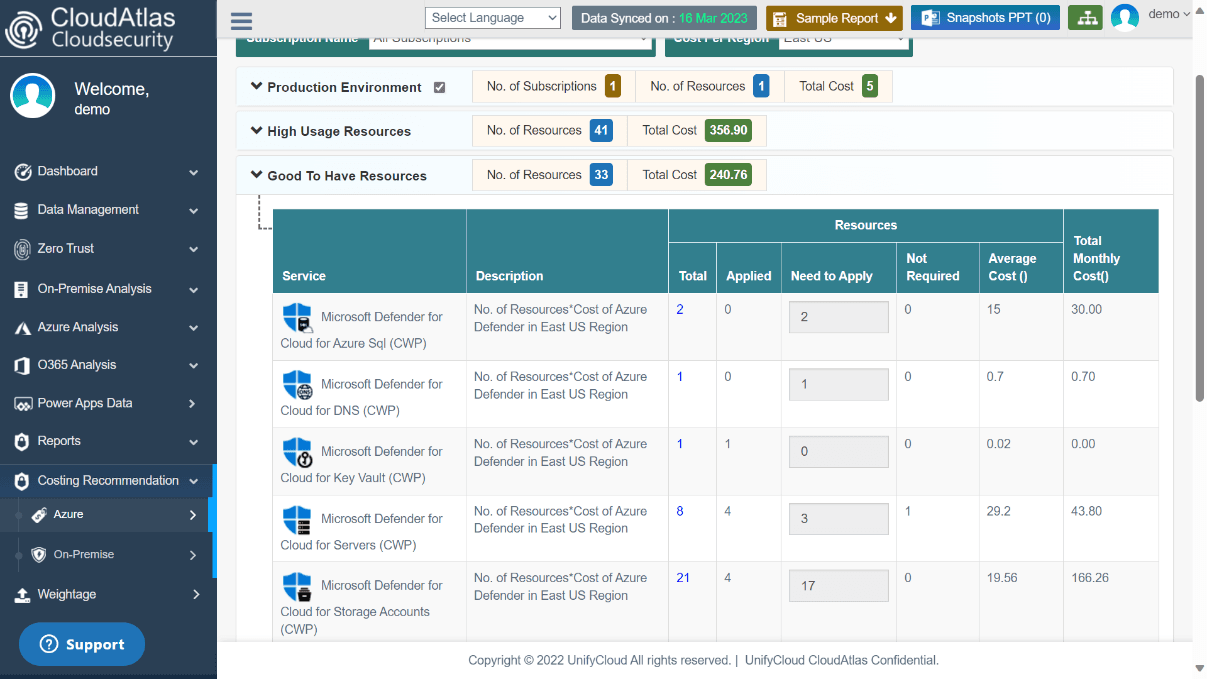
Figure 11: Good-To-Have Resources