
INTRODUCTION
1. NEW FEATURES
1.1 AZURE SPOT VIRTUAL MACHINES ANALYSIS
Azure Spot Virtual Machines (Spot VMs) analysis helps you estimate the cost of unused Azure compute capacity for your business case. Spot VMs can cost up to 90% less than pay-as-you-go prices. They are ideal for workloads that can tolerate interruptions, offering scalability at a discounted price, as shown in Figure 1.
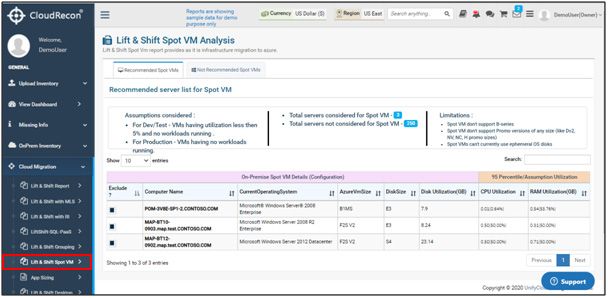
Figure 1: Lift & Shift Spot VM
2. FEATURE UPDATE
2.1 DATA UPLOAD
2.1.1 Movere
- In the left panel of the CloudRecon dashboard, click the “Movere” submenu under “Upload Inventory.” You will find the “Upload CSV File” option.
- You can now upload Movere data in a ZIP file containing CSV files, as shown in Figure 2.
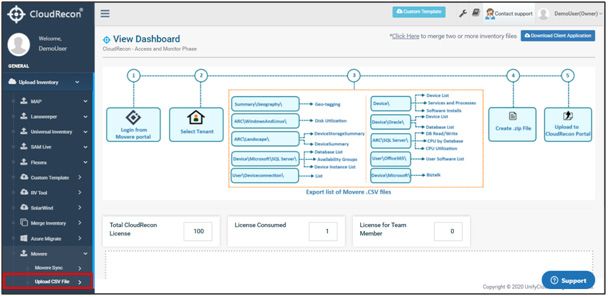
Figure 2: Upload Movere CSV ZIP File
2.1.2 Azure Migrate
You can now synchronize performance data for the machines included in Azure Migrate.
2.2 CLOUD MIGRATION REPORTS UPDATE (LIFT & SHIFT REPORTS)
2.2.1 Windows Virtual Desktop (WVD)
- In the left panel of the CloudRecon dashboard, click “Lift & Shift Desktop” under the “Cloud Migration” tab.
You will be directed to the Lift & Shift Desktop Assessment report page, as shown in Figure 3.
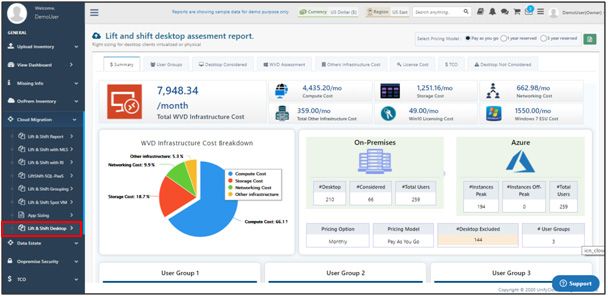
Figure 3: Windows Virtual Desktop (WVD)
2.2.2 Azure SKUs
- In the left panel of the CloudRecon dashboard, click “Lift & Shift” under the “Cloud Migration” tab.
You can now manually select Azure SKUs and use the reset feature to align your business case with your own or your customer's requirements. This feature is available in the “Virtual Machine” tab, as shown in Figure 4.
.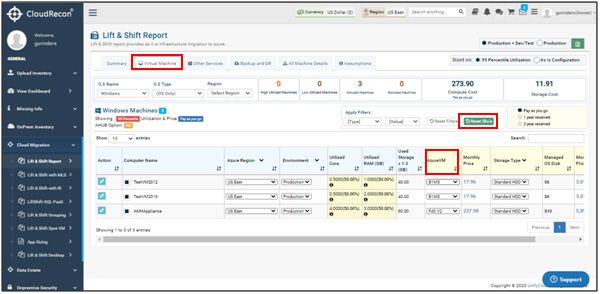
Figure 4: Azure SKUs in Lift & Shift
Lift & Shift reports now also include Azure Hybrid Benefit calculations for SQL Servers, as shown in Figure 5.
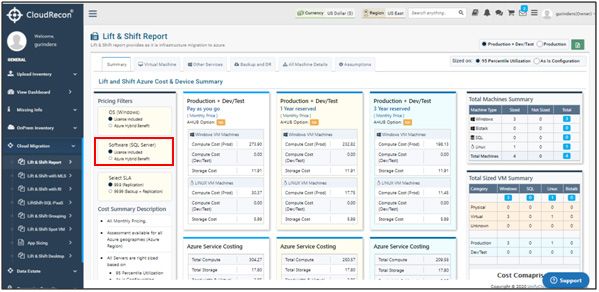
Figure 5: Lift & Shift
VM Sizing Updates
- Azure SKU recommendations are now aligned with processor types.
- B-Series SKU recommendations are available for production VMs.
- Additional SKUs, including Fsv2, Dasv4, and Easv4, are available for right-sizing.
2.3 DATA ESTATE REPORTS
2.3.1 MySQL DB
- In the left panel of the CloudRecon dashboard, click “MySQL DB” under the “Data Estate” tab.
You will be redirected to the MySQL DB Cost Summary tab, as shown in Figure 6.
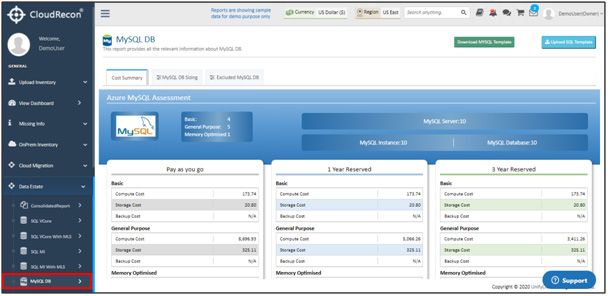
Figure 6: MySQL DB
2.3.2 Oracle to PostgreSQL
- In the left panel of the CloudRecon dashboard, click “Oracle to PostgreSQL” under the “Data Estate” tab.
Cost outlines for Hyperscale recommendations for databases requiring more than 16 TB of storage are now available in the “PostgreSQL Database Rightsizing Details” tab, as shown in Figure 7.
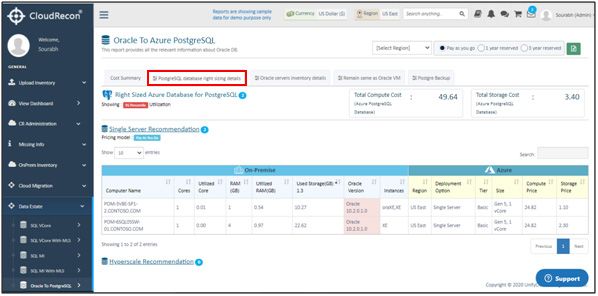
Figure 7: Oracle to PostgreSQL