
INTRODUCTION
PURPOSE
This document outlines the new features being rolled out on the CloudRecon Portal in July 2022. Customers can use this document as a guide to leverage the benefits of these new features.
INTENDED AUDIENCE AND PERTINENT SECTIONS
This document is intended as a reference for company internal personnel, customers, and partners.
NEW FEATURES
1. New Reports
This section introduces new reports available in CloudRecon.
1.1 Upload AWR Report
Use Case: You can now use this new report in CloudRecon to generate an assessment report.
AWR scans your environment and provides the results in HTML format. This report will only be generated if you upload the HTML report in ZIP format through Upload Inventory > Upload AWR Report.
Follow Steps 1 through 4, as shown in Figure 1. After completing these steps, click View Dashboard to access your assessment report.
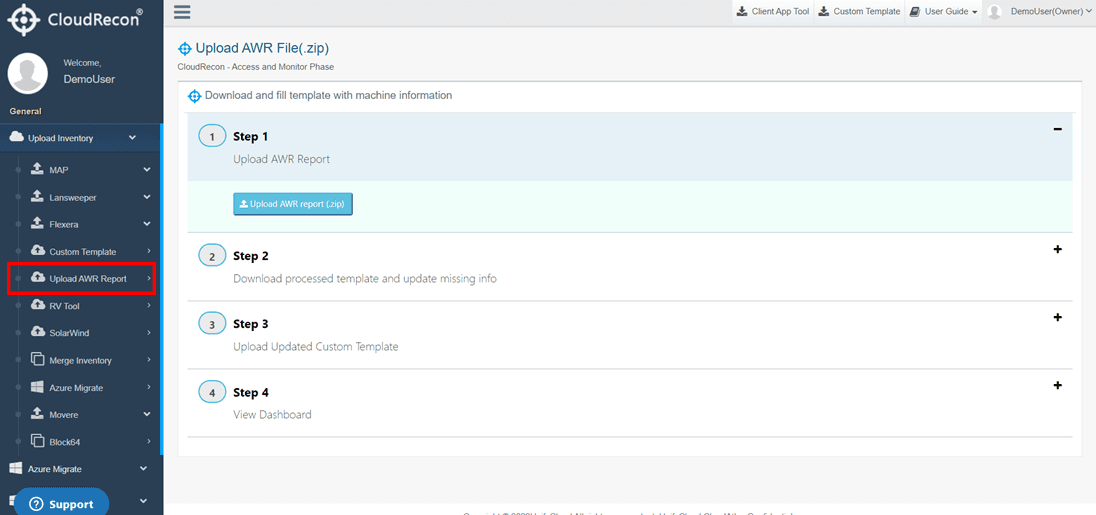
Figure 1: Upload AWR File
2. New Features in Lift & Shift (IaaS) Report
2.1 Burstable Toggle
Use Case: You can now apply disk sizing based on IOPS and Burstable options in CloudRecon under the Managed Disk tab of the Lift & Shift report.
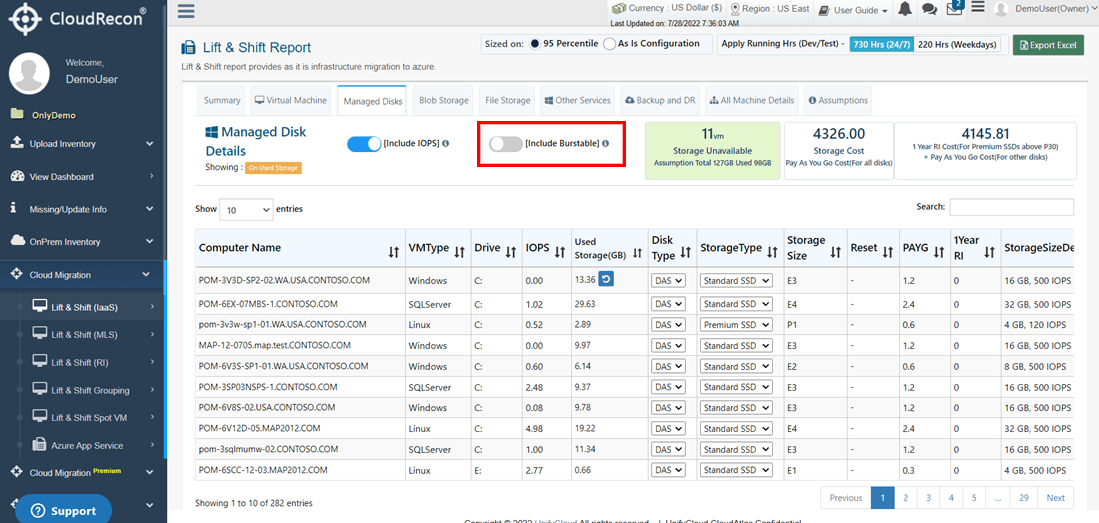
Figure 2: Burstable Toggle Button on Managed Disk
The Burstable toggle is visible only when the IOPS toggle is enabled. After enabling both IOPS and Burstable, you can see reduced Storage Cost and RI Cost in the right corner of the report.
2.2 Retention Policy
Use Case: Users can now select the retention range in CloudRecon under the Backup and DR tab of the Lift & Shift report.
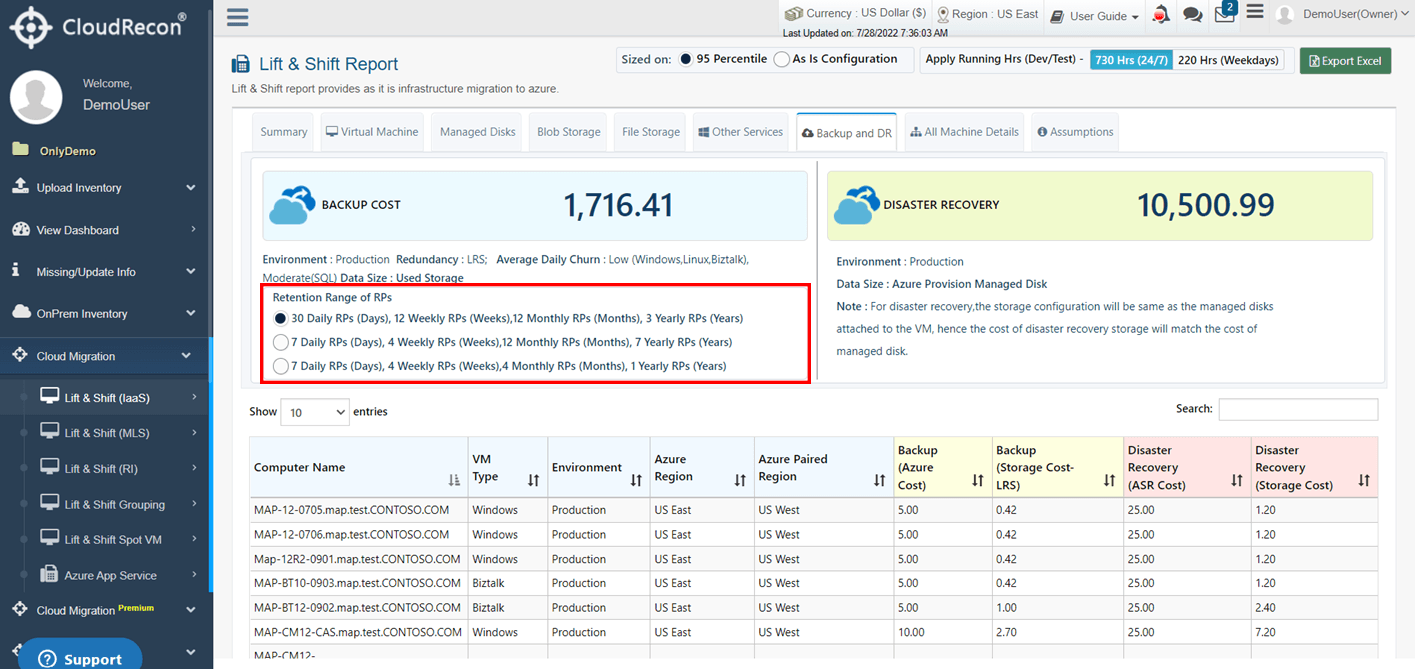
Figure 3: Retention Range in Backup and DR
3. New UI for SAP (Lift & Shift) Report
Use Case: Users will now see a new user interface for the SAP report in CloudRecon.
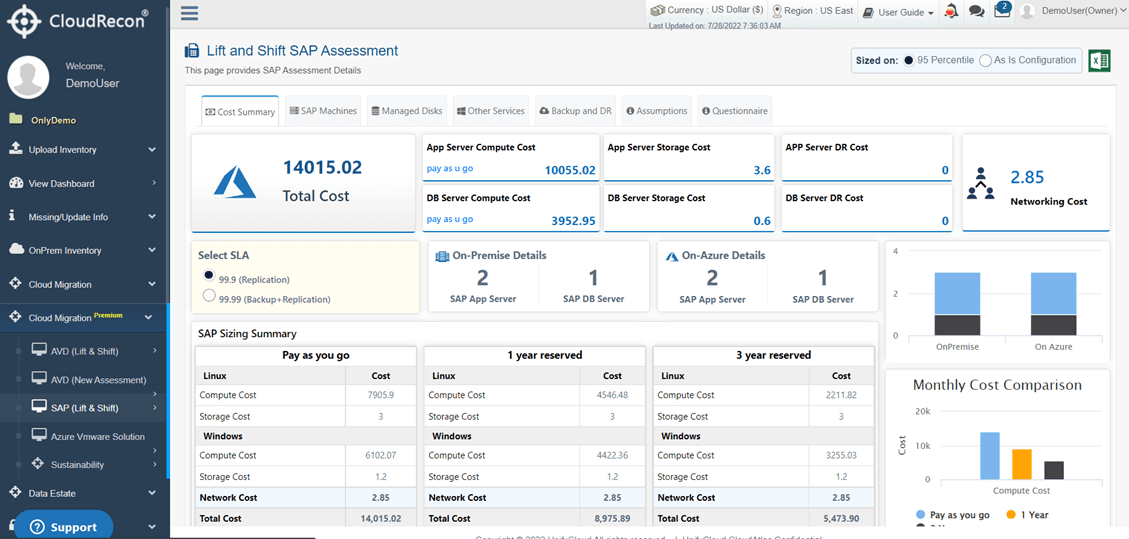
Figure 4: New UI for SAP Report
4. New Features in SAP (Lift & Shift) Report
4.1 Questionnaire Tab
Users can now access a new Questionnaire tab in the Lift & Shift SAP Assessment.
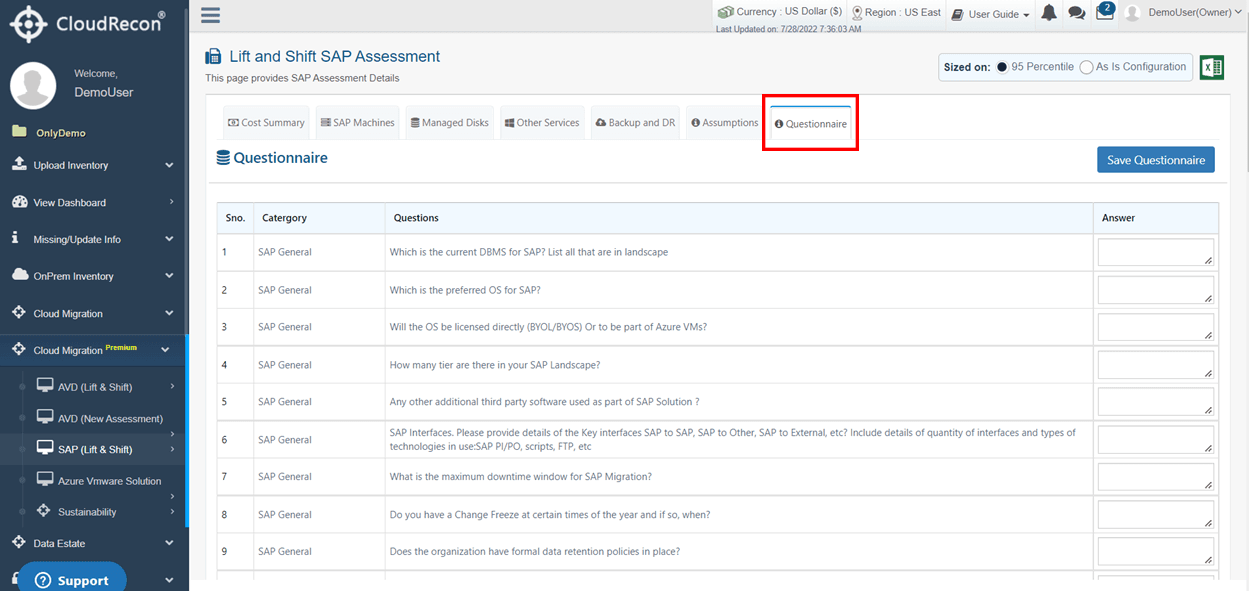
Figure 5: Questionnaire Tab
In this tab, you can enter your answers and click Save Questionnaire to save your results.
FEATURE UPDATES
1. Sustainability Report
Use Case: The updated Sustainability Report, shown in Figure 6, displays the carbon emissions of your infrastructure in two units: KgCO2 and MtCO2e.
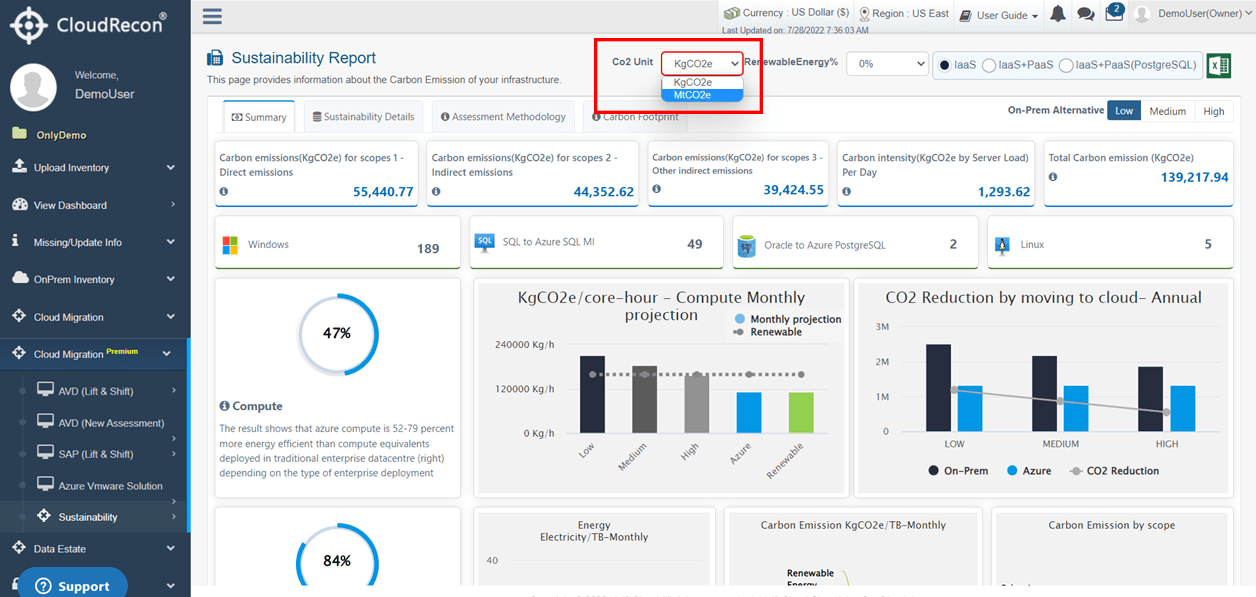
Figure 6: CO2 Unit
2. SAP (Lift & Shift) Report
Use Case: The updated SAP (Lift & Shift) report now includes an additional service, Azure Bastion, under the Other Services tab.
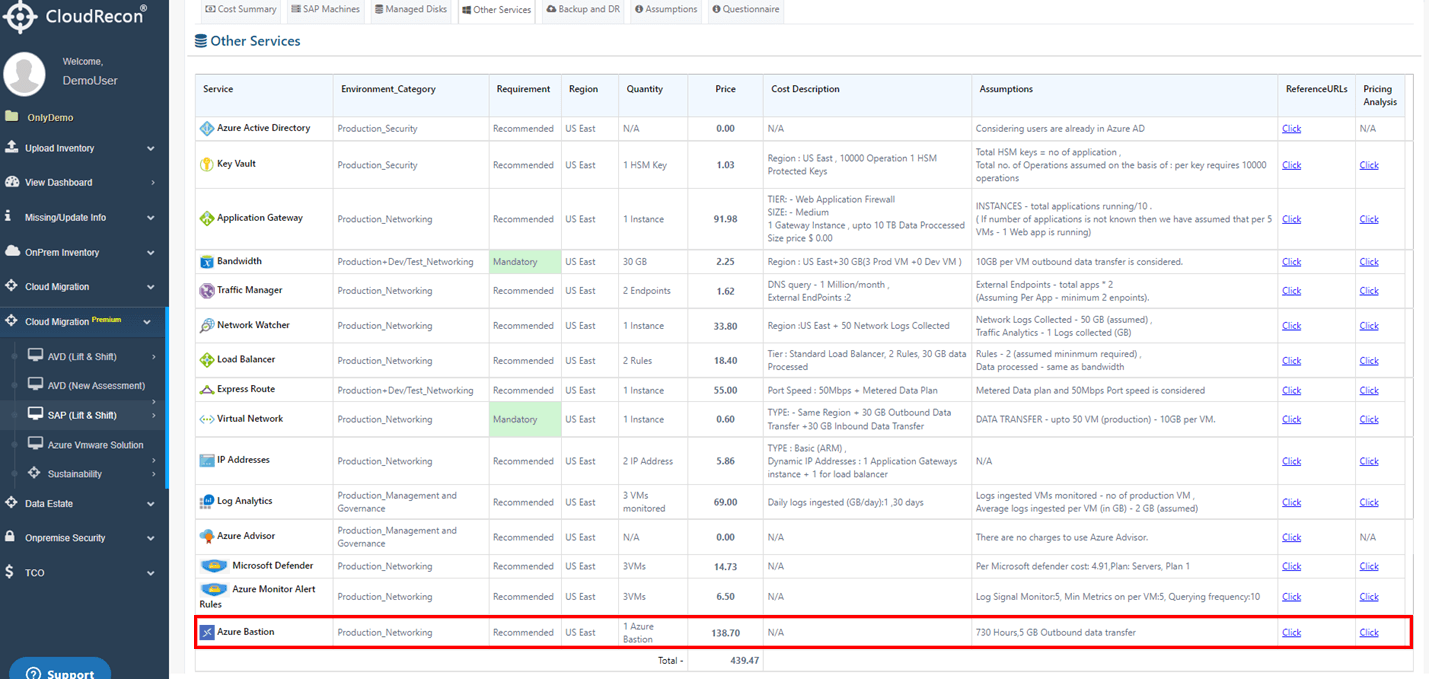
Figure 7: Other Service Tab