
INTRODUCTION
PURPOSE
This document outlines the new features being rolled out on the CloudRecon Portal in January 2023. Customers can use this document as a guide to understand and leverage the benefits of these features.
INTENDED USE AND TARGET AUDIENCE
This document is intended to serve as a reference for company internal personnel, customers, and partners.
NEW FEATURES
This section describes the new features added to the CloudRecon Portal.
New Pricing Models
Previously, CloudRecon offered three pricing models: Pay as You Go, 3-Year Reserved Instance, and 1-Year Reserved Instance. Two additional pricing models have now been introduced: 3-Year Saving Plan and 1-Year Saving Plan.
These plans help reduce compute costs and offer lower pricing compared with the Pay as You Go pricing model.
To access and apply these new pricing models to your inventory, follow the steps below.
-
Step 1: In the left panel of the CloudRecon dashboard, click the Lift & Shift (IaaS) submenu under the Cloud Migration side menu.
-
Step 2: View the newly added pricing models available in the Lift & Shift (IaaS) menu.
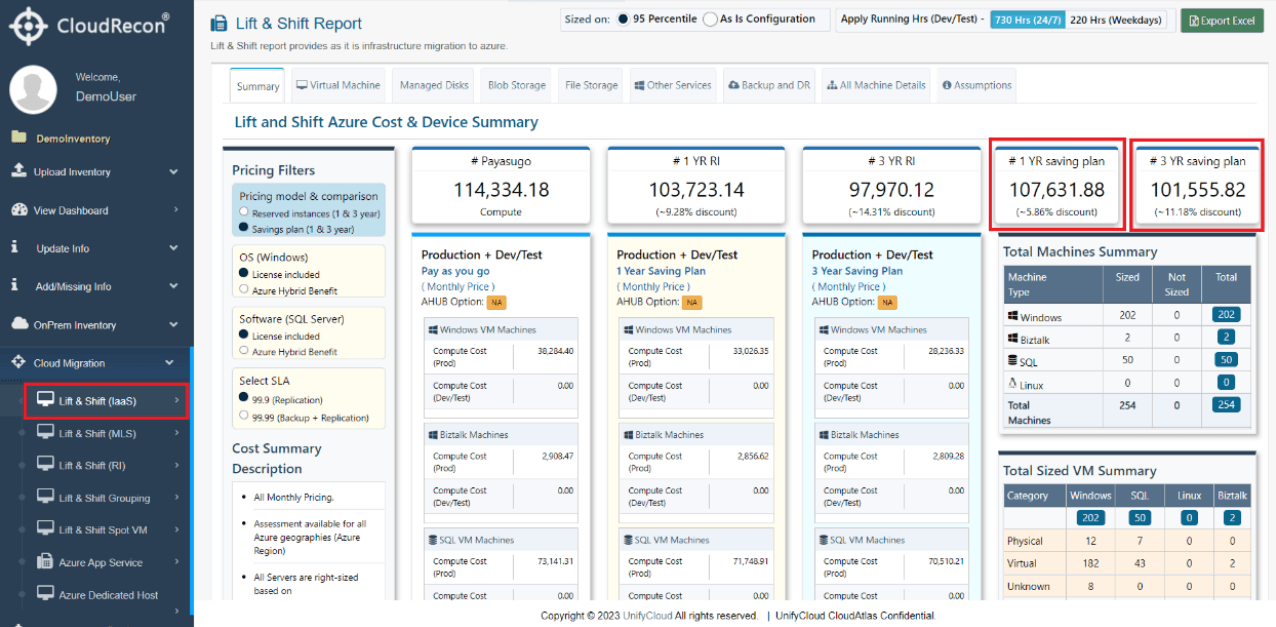
Figure 1: New Pricing Models -
Step 3: Select your preferred options and configure the pricing filters to apply the new pricing models to your inventory, as shown below.
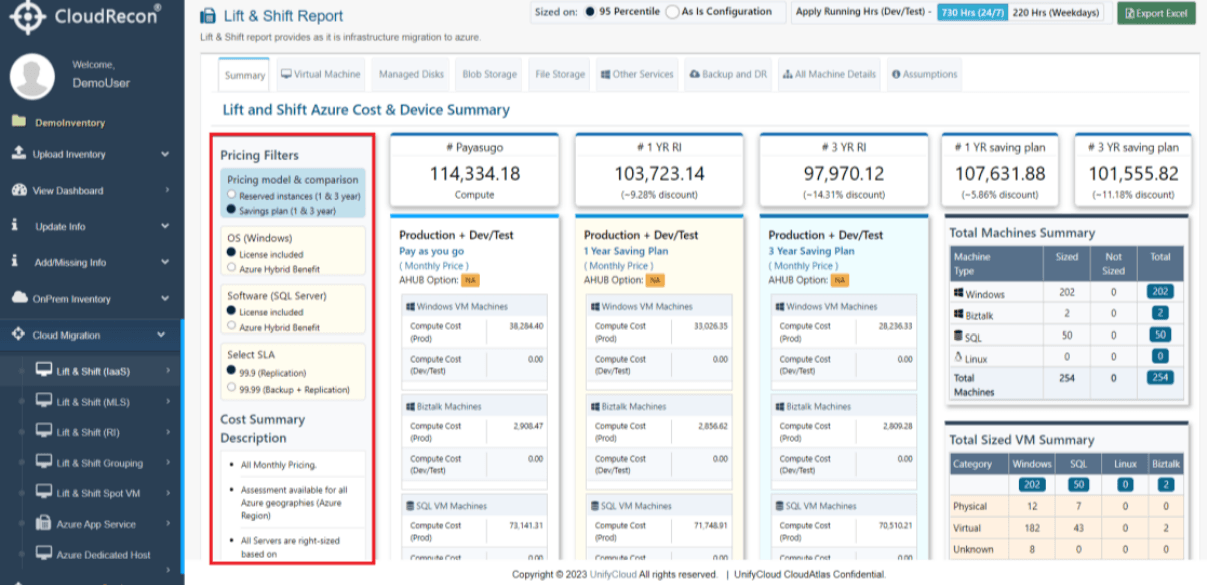
Figure 2: Pricing Filters -
Step 4: After applying the filters, the costs for the 3-Year Saving Plan and 1-Year Saving Plan will be updated according to your selected preferences.
-
Step 5: Click the Virtual Machine tab in the Lift & Shift (IaaS) submenu to view the compute and storage costs for your selected pricing plan.
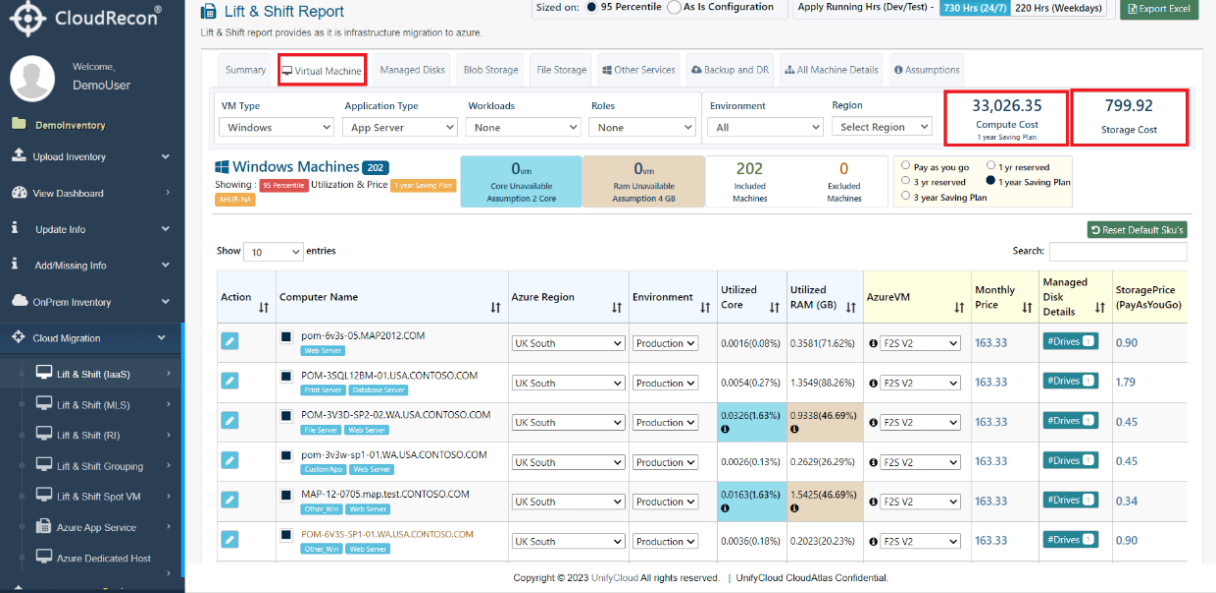
Figure 3: VM Details and Compute Cost