
INTRODUCTION
PURPOSE
This document outlines the new features being rolled out on the CloudPilot portal in February 2023. Customers can use this document as a guide to understand and leverage the benefits of these features.
INTENDED USE AND TARGET AUDIENCE
This document serves as a reference for new features, with the target audience including company internal personnel, customers, and partners.
REGISTRATION
To use the CloudPilot® tool, you need to register yourself.
- Visit https://cloudpilot.cloudatlasinc.com/.
- You will be directed to the Work or School Account authentication page of the CloudPilot® portal, as shown in Figure 1.

Figure 1: CloudPilot Home Page
FEATURE UPDATES
1. Java Updates
- After logging in, you will be redirected to the Dashboard Statistics Overview of the CloudPilot portal. Click “Pending Migration” in the side menu, as shown in Figure 2.
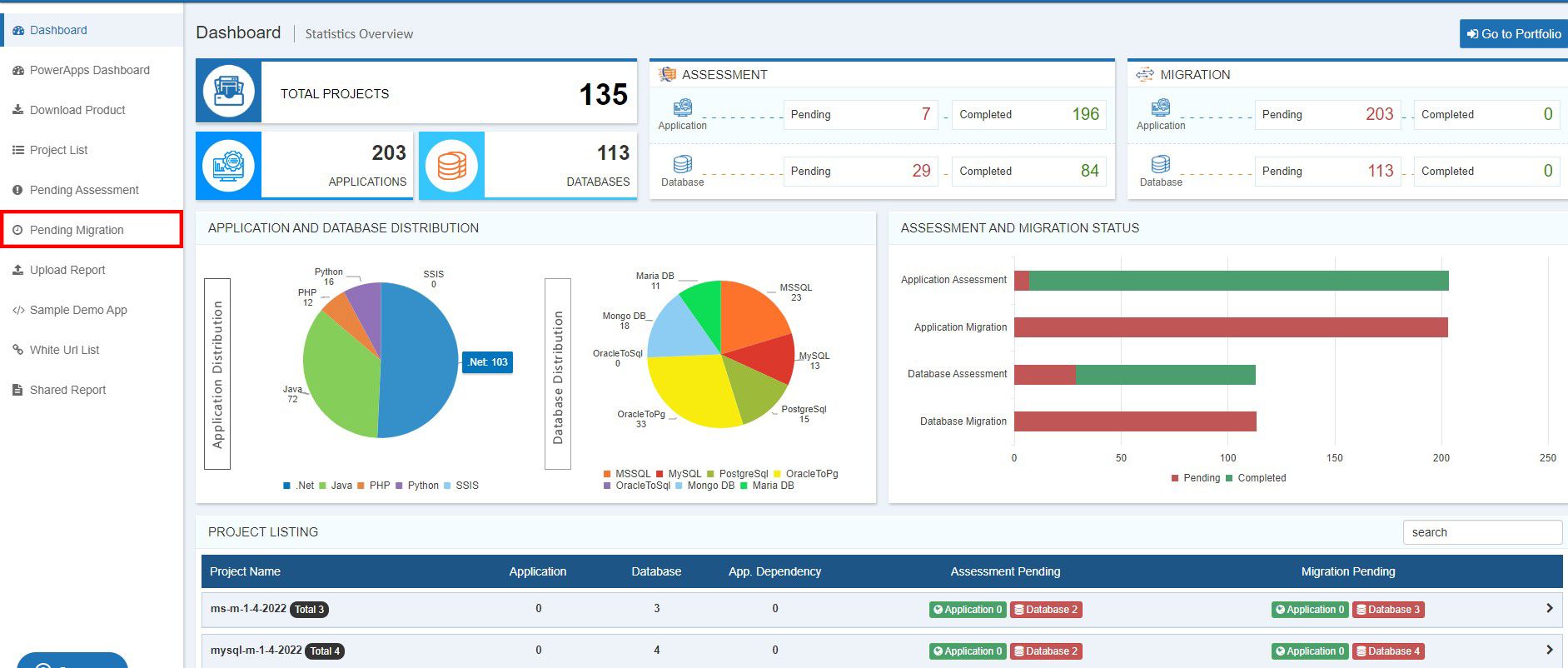
Figure 2: CloudPilot Dashboard
- On the Pending Migration list, scroll down to the Java Applications list and click the “View” button, as shown in Figure 3.
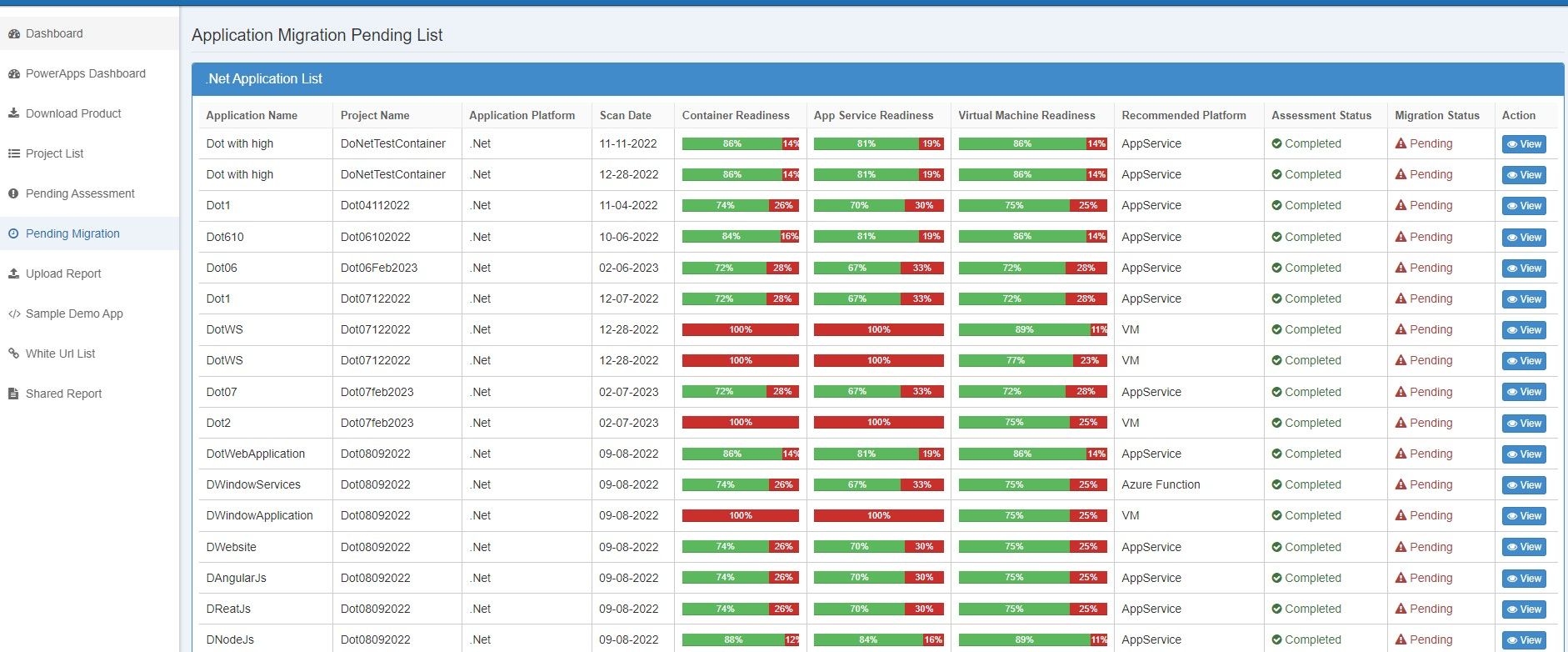
Figure 3: Applications Pending Migration List
- In the JavaApps Overview, you can view application recommendations, migration effort, readiness status, recommendation results, Azure infrastructure cost, lines of code, and other application assessment details.
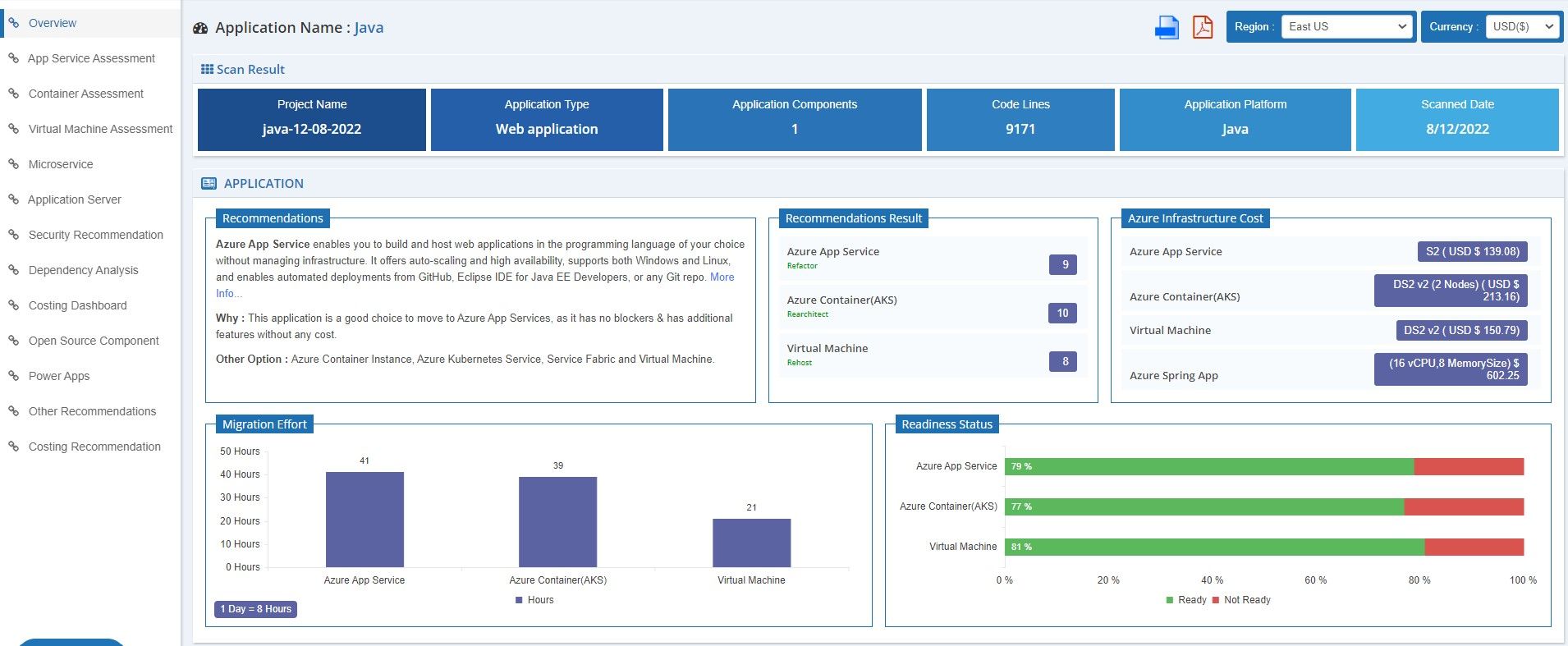
Figure 4: Java Apps Assessment Overview
2. Java Microservice
Java Microservice is a software architecture pattern that structures an application as a collection of small, independent services. Each service runs in its own process and communicates through lightweight mechanisms, often using an HTTP resource API. This architecture aims to provide greater scalability, resilience, and deployment flexibility than a monolithic architecture.
The Microservice scorecard systematically assesses various aspects of the microservice architecture, including reliability, scalability, security, maintainability, and overall design, as shown in Figure 5.
Click the “Microservice” section in the left side menu to access this feature.
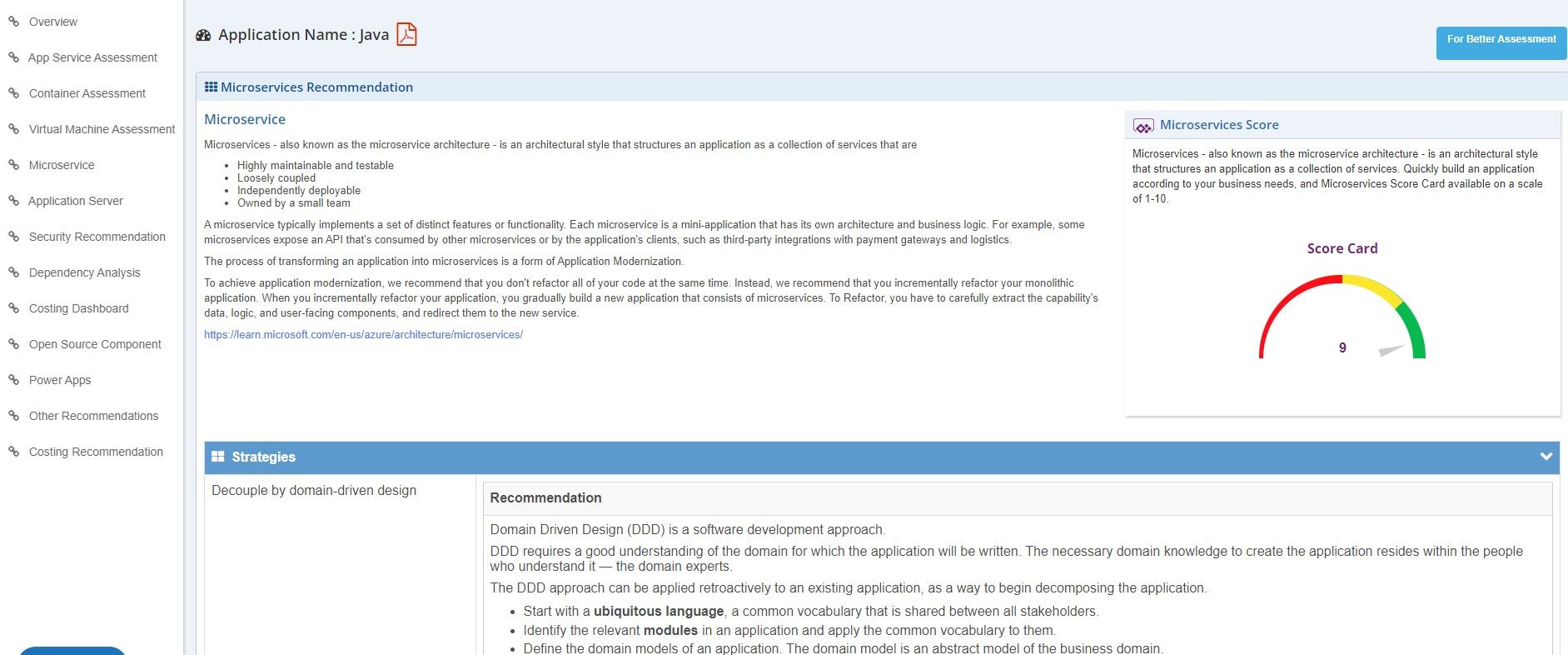
Figure 5: Java Apps Microservice
3. Application Server
- Click the “Application Server” side menu to access the Java Apps Application Server Assessment details, as shown in Figure 6.
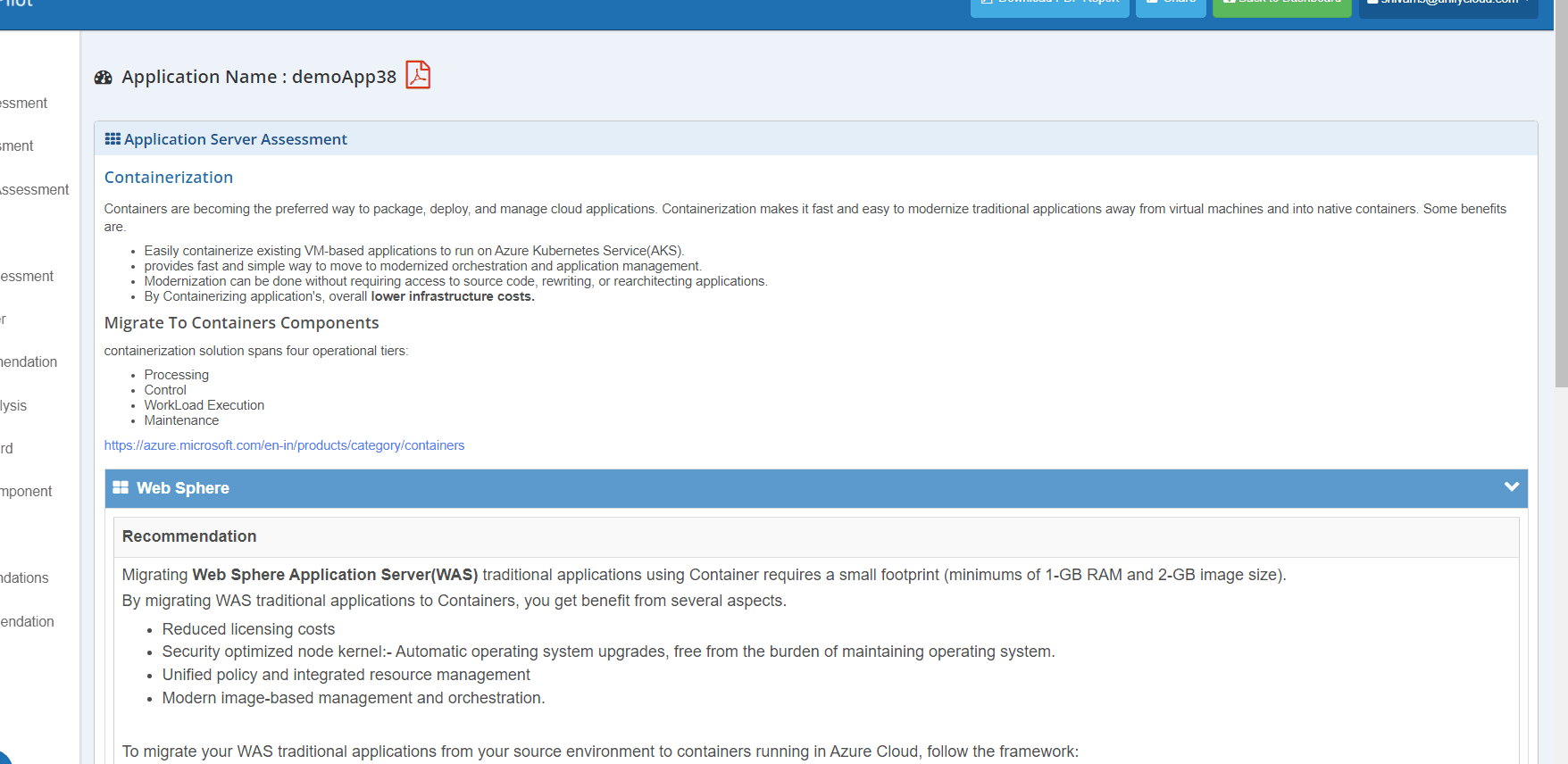
Figure 6: Java Apps Application Server
- The Application Server section contains a questionnaire designed to assess the suitability and capabilities of a particular application server for a specific use case or project.
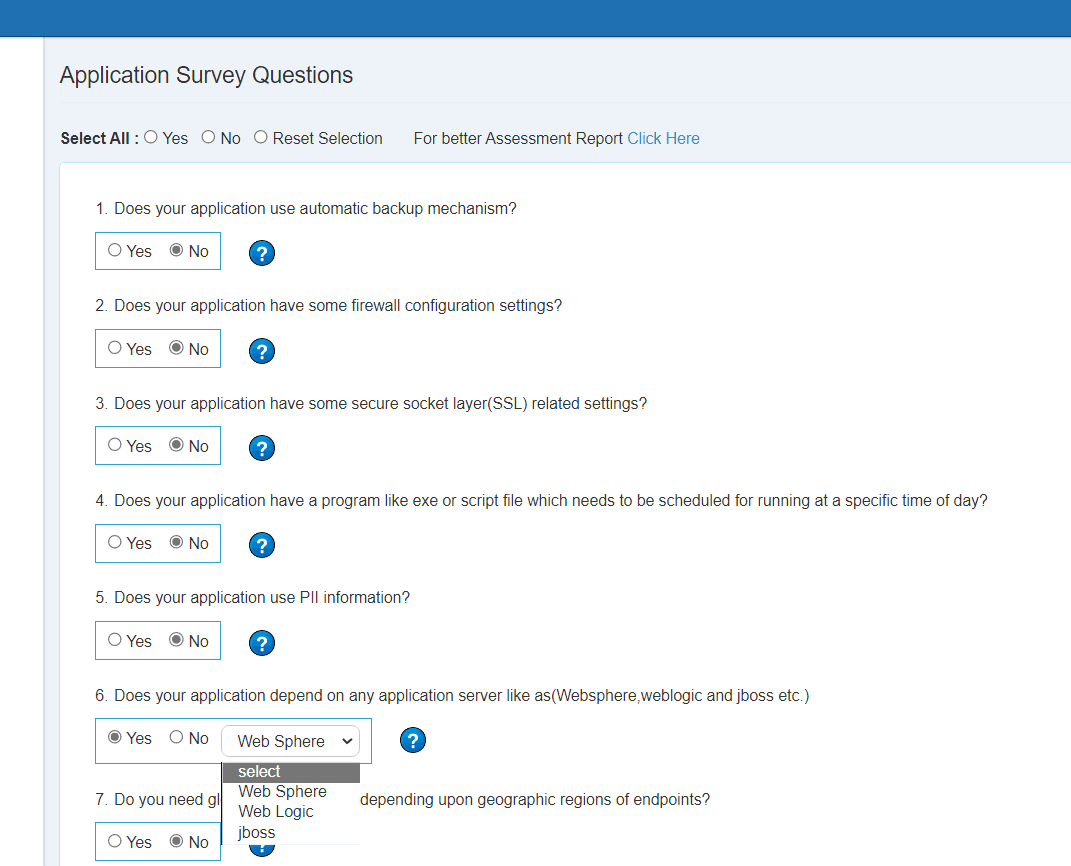
Figure 7: Application Survey Questions
4. Five R Analysis
Five R Analysis helps maximize the benefits of cloud adoption while minimizing costs and improving resource utilization. To access this feature, click “Five R Analysis” in the left side menu of the Portfolio Dashboard.
Rehost: The simplest migration strategy, in which an application is moved to a new environment without changing its code or architecture.
Refactor: Involves modifying the code or architecture to optimize the application for the new environment while retaining its existing functionality.
Rebuild: Involves rebuilding the application from scratch, taking advantage of new technologies and architectural patterns.
Replace: Involves replacing the existing application with a different solution that provides equivalent functionality.
Retire: Involves retiring an application because it is no longer needed or has been replaced by another solution.
Click the “Five R Analysis” tab in the left side menu of the Portfolio Dashboard to access this feature, as shown in Figure 8.
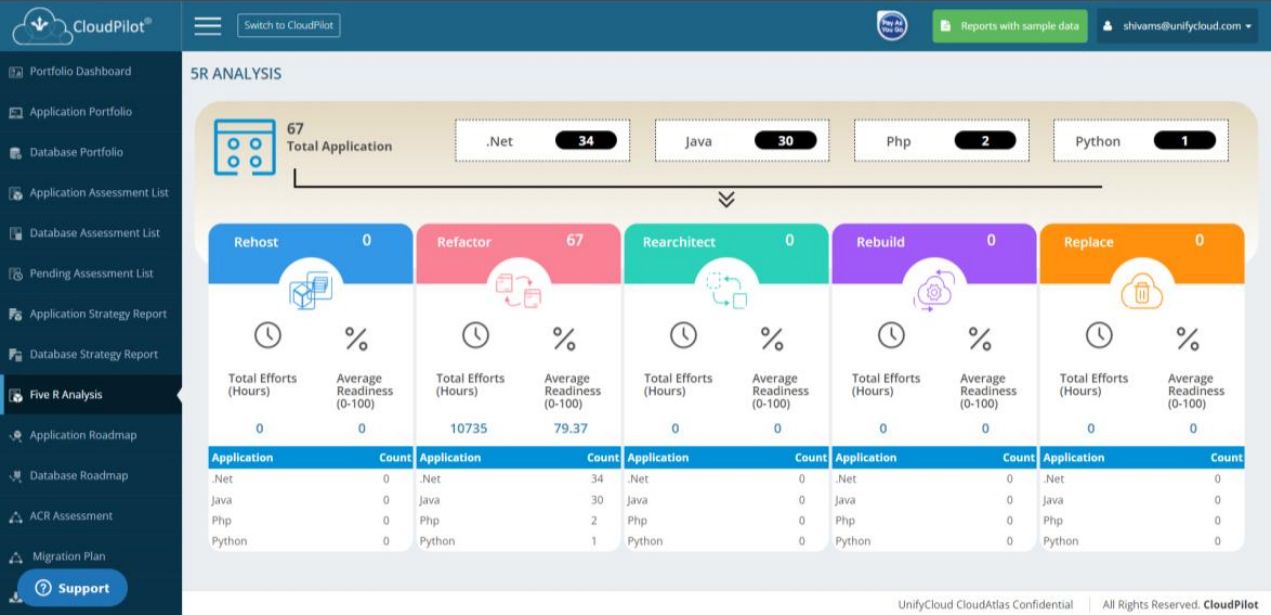
Figure 8: Five R's Analysis